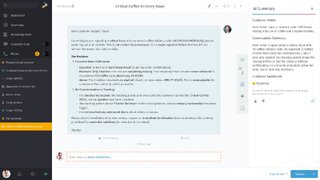
Some tickets are simple. Others are five people deep, full of back-and-forth, and sprinkled with “just one more detail.” AI Ticket Summary gives your team the context they need—without the scrolling, skimming, and second-guessing. What you get at a glance:
AI Ticket Summary

Long ticket thread? No problem. AI Ticket Summary condenses the conversation into what matters most—so your team understands the situation in seconds and keeps support fast, consistent, and human.
- Customer intent
- what the customer is trying to achieve
- Conversation summary
- the key points so far
- Open questions
- what’s still missing to move forward
- Upcoming events
- what’s planned or needs to happen next
- Customer sentiment
- a quick read on the tone of the conversation
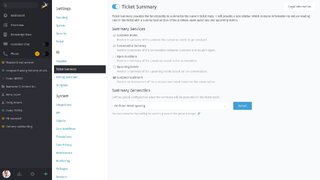
AI Ticket Summary isn’t enabled by default. Once you activate it, Customer Intent and Conversation Summary are active right away. If you want more structure, you can optionally enable Open Questions, Upcoming Events, and Customer Sentiment—depending on your use case.
Before activating, make sure an AI provider is configured. If not, Zammad will show a warning.
Want the full setup details and all configuration options? Check the admin documentation for AI Ticket Summary.
Discover more features
From smart ticket handling to seamless integrations, discover everything Zammad has to offer.