Some ticket work is important, but also time consuming and easy to outsource: repeating the same steps, applying the same patterns, moving tickets forward in small steps. Our AI Agents are built for exactly that kind of work. What they can do:
AI Agents

Wouldn't it be great to have an extra pair of hands when the busywork starts? We thought so too, which is why we built AI Agents. Delegate repetitive ticket tasks to them, freeing up your team to focus on complex requests and meaningful customer interactions.
- Ticket Title Rewriter
- Turns vague subjects into clear, searchable titles.
- Ticket Prioritizer
- Helps set the right urgency based on context.
- Ticket Group Dispatcher
- Routes tickets to the right team faster.
- Ticket Categorizer
- Keeps structure and reporting consistent.
- Ticket Tagger
- Automatically enriches incoming tickets with relevant tags.
- Text Extractor
- Identifies and extracts information from incoming tickets.

Always visible while they work
When an AI Agent is active on a ticket, you’ll see an avatar in the live user bar at the bottom of the ticket view. Because changes can happen quickly, it’s best to avoid editing the ticket during that moment—your updates could get overwritten.

You stay in control
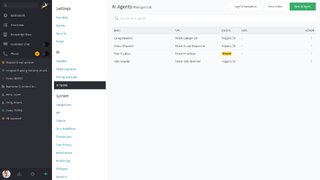
AI Agents are not enabled by default. They’re configured and managed in Admin → AI → AI Agents. Before activating, connect an AI provider—if none is set, Zammad will show a warning.
Want the full technical details and setup options? You’ll find them in our admin documentation AI Agents
Discover more features
From smart ticket handling to seamless integrations, discover everything Zammad has to offer.