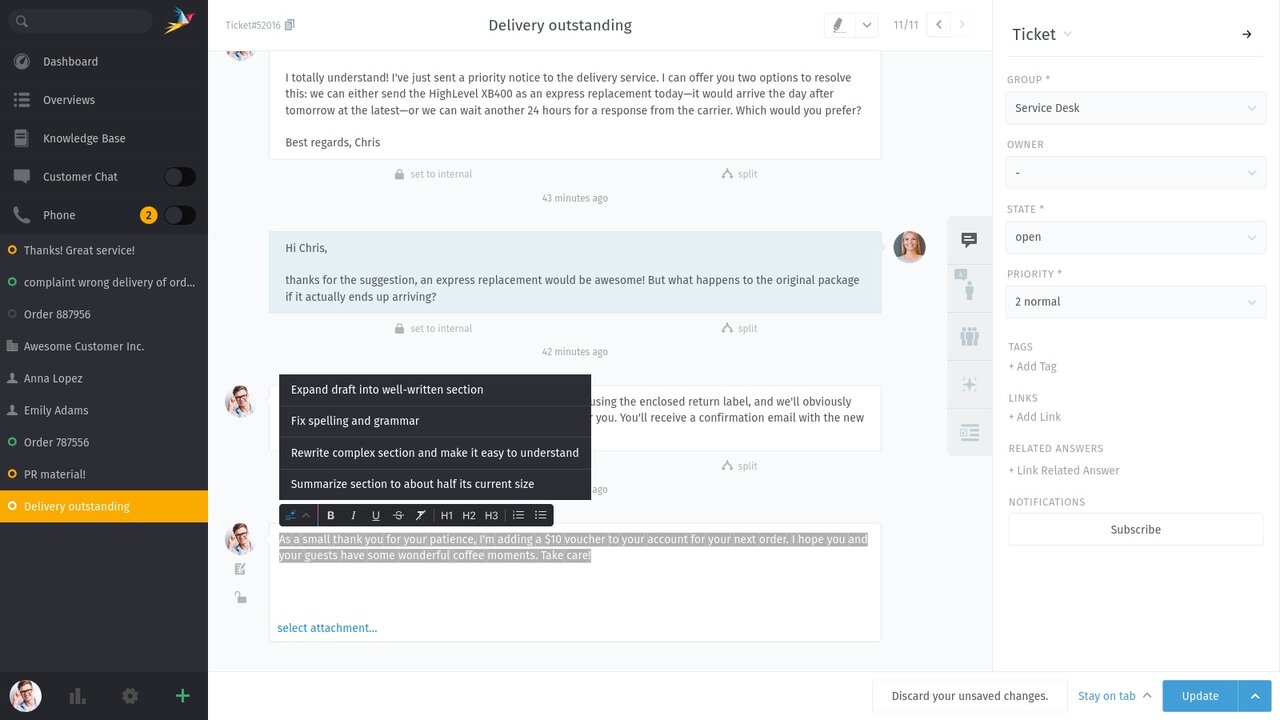
Great support means great communication. The AI Writing Assistant helps agents compose clear, friendly replies quickly, ensuring that communication remains professional, consistent, and personal.
Support isn’t just problem-solving; it’s also communication. When you’re answering dozens of tickets a day, it’s easy for your messages to be too short, too long, or unclear. The AI Writing Assistant helps you craft strong replies faster without compromising tone or quality. Select any part of a reply and choose the help you need:
The goal isn’t “AI tone.” The goal is your tone—just clearer and more consistent across the team. Perfect for busy shifts, handovers, and agents who want a fast second draft before hitting send.
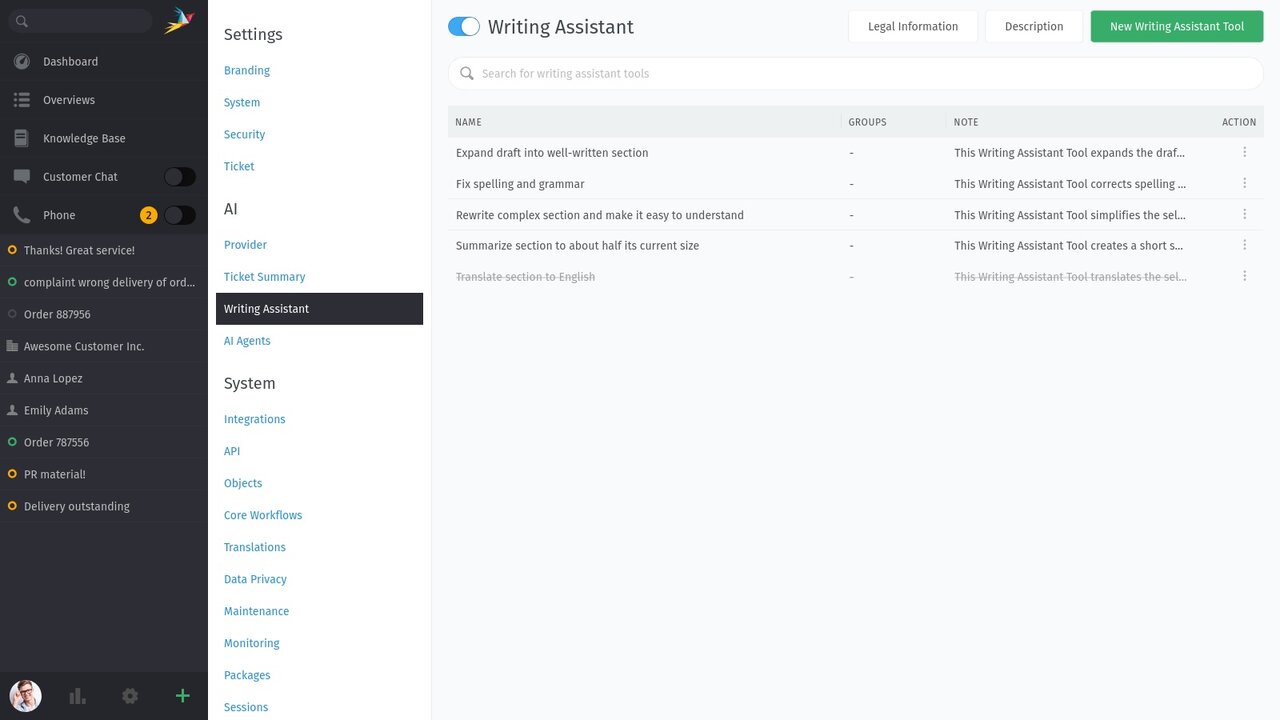
The AI Writing Assistant isn’t enabled by default. You can activate it in the admin area under AI → Writing Assistant—just flip the switch to turn it on. Before activating, make sure an AI provider is configured. If none is set, Zammad will show a warning.