· Zammad 7.2 enhances security, administration and knowledge management. At the heart of the release is the new tamper-proof Admin Audit Log, making administrative changes easy to trace and review. This release also introduces greater spam protection, finer control over AI usage and costs, and new AI-powered features for capturing, retrieving, and reusing knowledge base answers.
Want to see the new features in action? Join our release webinar or let Marcel—aka “That Helpdesk Guy”—walk you through the highlights in his latest video on YouTube.
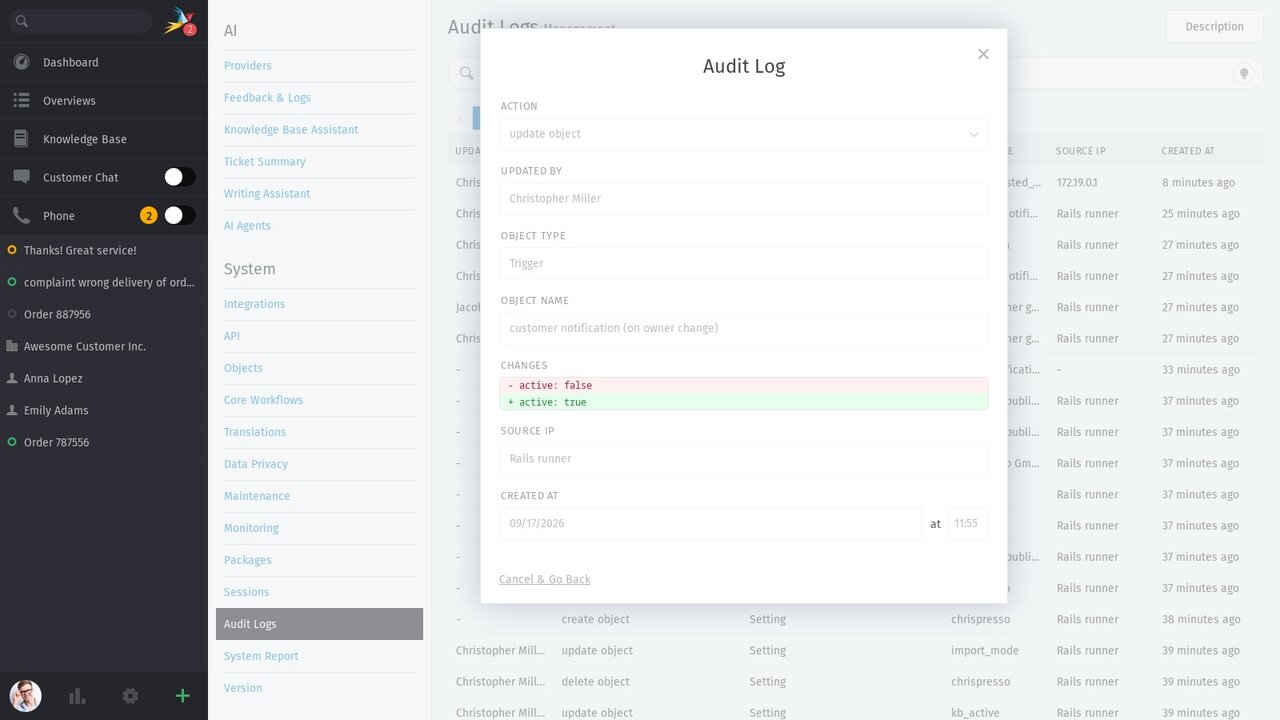
Who changed which setting, and when? Especially in larger Zammad environments, having a clear answer to this question isn't just helpful for troubleshooting—it's vital for IT security, internal controls, and external audits.
With version 7.2, we are introducing an audit log for administrative actions. Changes made in the admin area are recorded in a tamper-proof way and can be fully traced. As with the ticket history, these entries cannot be edited or deleted — either through the user interface or via the API.
The audit log is much more than just a record of administrative changes. It provides a reliable basis for demonstrating accountability and control processes to auditors. Along with Zammad's ISO/IEC 27001:2022 certification and SOC 2 Type I, it establishes an even stronger foundation for security and compliance.
Your contact forms are meant to bring in genuine customer inquiries—not create hundreds of spam tickets.
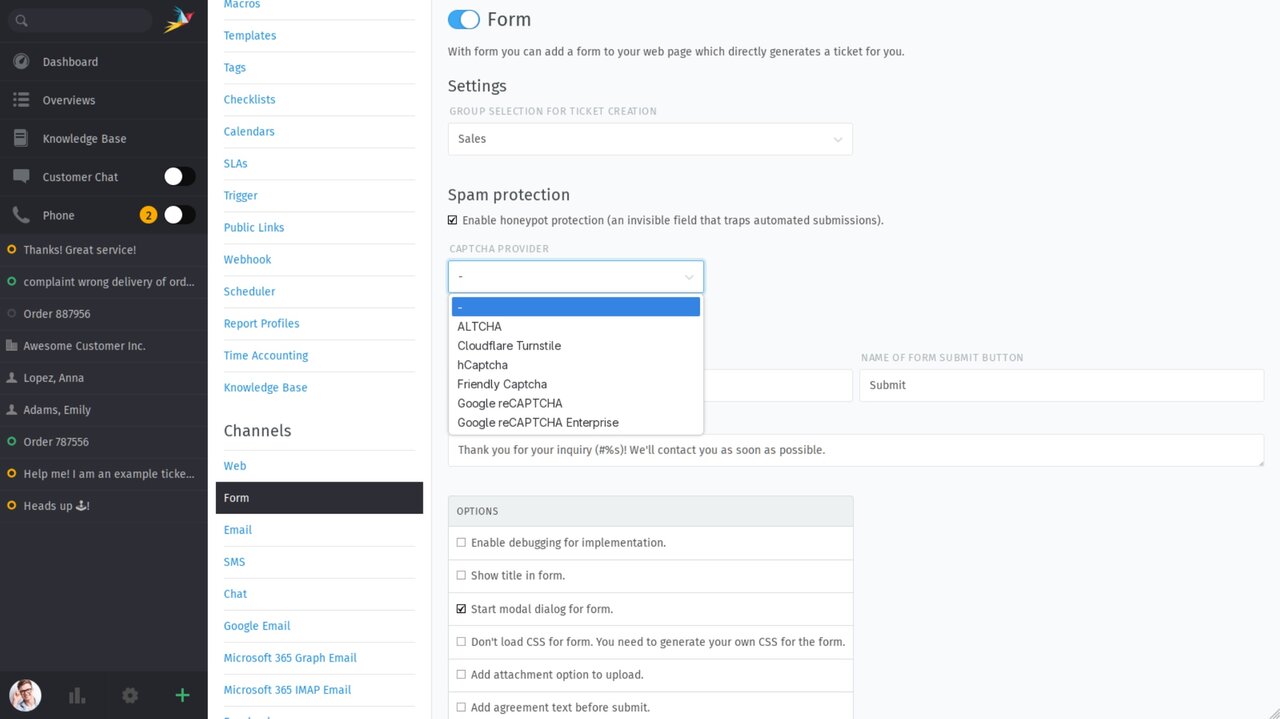
That's why Zammad 7.2 comes with upgraded spam protection framework for web forms. The goal: reliably catch both automated bot submissions and repeated manual spam long before they clutter your agents' queues.
The new modular architecture supports a variety of spam-checking methods and providers. This allows administrators to choose the exact solution that best fits their privacy, security, and infrastructure requirements.
Some of the best solutions are born directly in customer support—only to end up buried once a ticket is closed. Turning those into knowledge base answers takes extra time, and gets pushed down the to-do list during busy shifts.
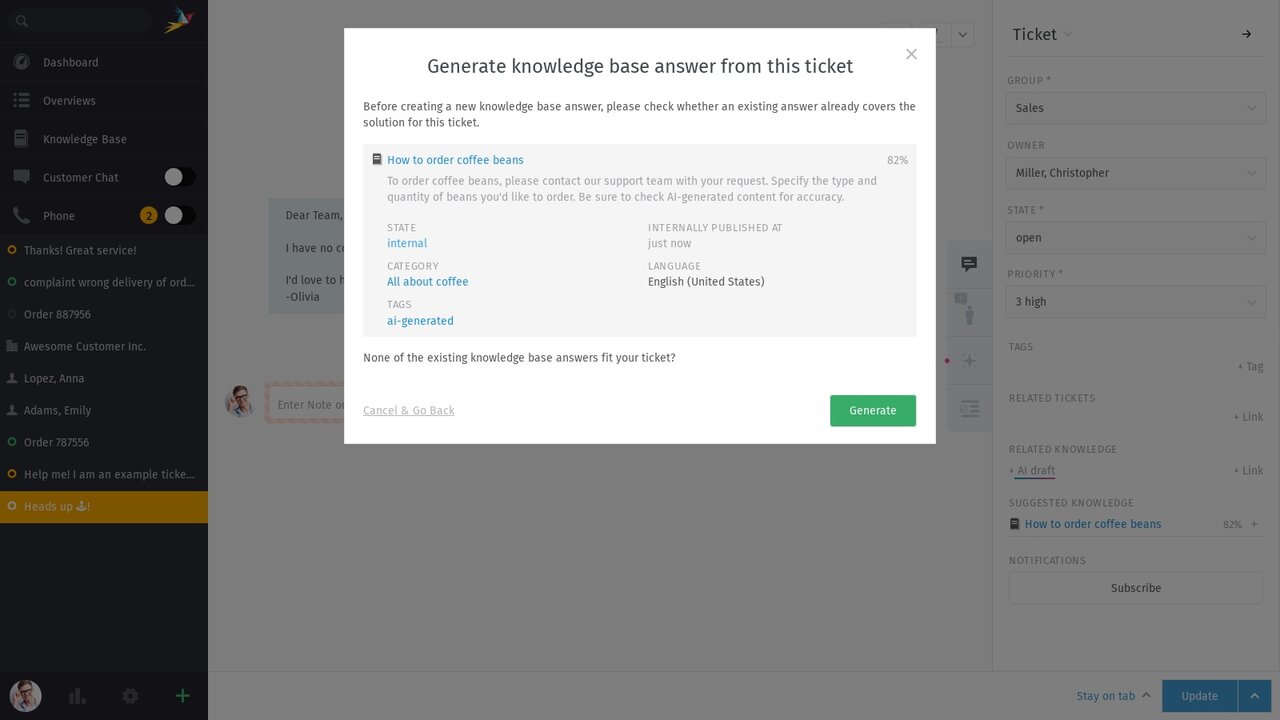
Zammad 7.2 makes knowledge retention now part of the support workflow. With the help of AI agents, KB admins and support agents with editor rights can now generate a draft answer directly from a solved ticket, ready to be reviewed, refined, and expanded. Before creating a new entry, AI agent checks whether related answers already exist in the knowledge base. If it finds any, agents can decide whether a new draft is still needed.
The AI agent creates new answers as drafts in the knowledge base’s default language and automatically links them to the original ticket. AI-generated content is also tagged with ai-generated. The AI selects an appropriate category from those the respective agent has permission to edit.
⚠️ Important: The quality of the draft depends on how clearly the solution is documented in the ticket. The more relevant context, steps, and notes it contains, the more accurate and complete the AI-generated draft will be. If key information is missing or the resolution is only briefly documented, the draft will reflect these gaps and may require manual refinement. In this case, the knowledge base author will need to add any missing context.
As a knowledge base grows, finding and identify the right answer for a specific issue can take time.
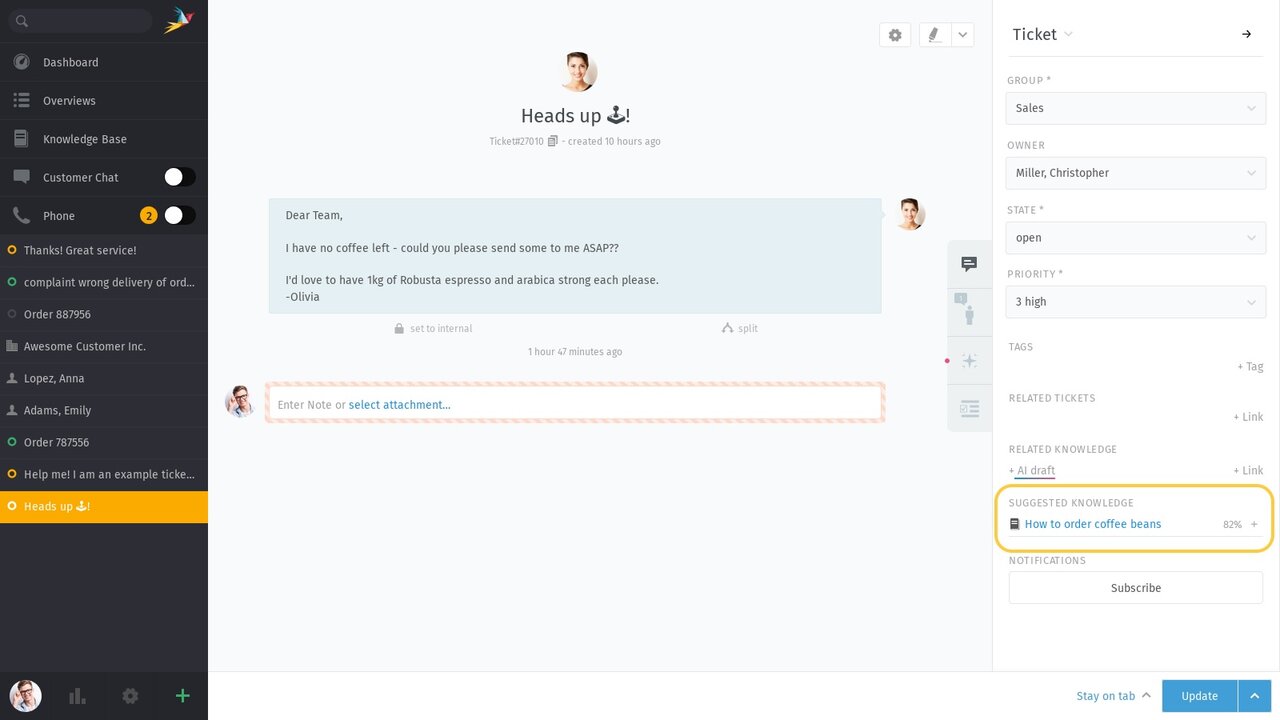
Zammad 7.2 introduces a new AI-powered feature that uses semantic search to compare existing knowledge base answers with the content of a ticket. If an answer meets the relevance threshold defined by an administrator, Zammad displays it directly in the ticket sidebar under Suggested Knowledge.
Agents can open and review the suggested answers right from there. If one of them helps resolve the ticket, it can be permanently linked to the ticket.
⚠️ Important: The quality of the suggestions depends on how well maintained and up-to-date your knowledge base is. Semantic search measures the similarity between ticket content and existing knowledge base answers, displaying a percentage match score for each suggestion. The more comprehensive and relevant your knowledge base content is, the more accurate the suggestions will be.
Combined with the new capability to draft knowledge base content from solved tickets, this creates a continuous knowledge cycle: Solutions from support flow into the knowledge base and become available to agents exactly where they are needed.
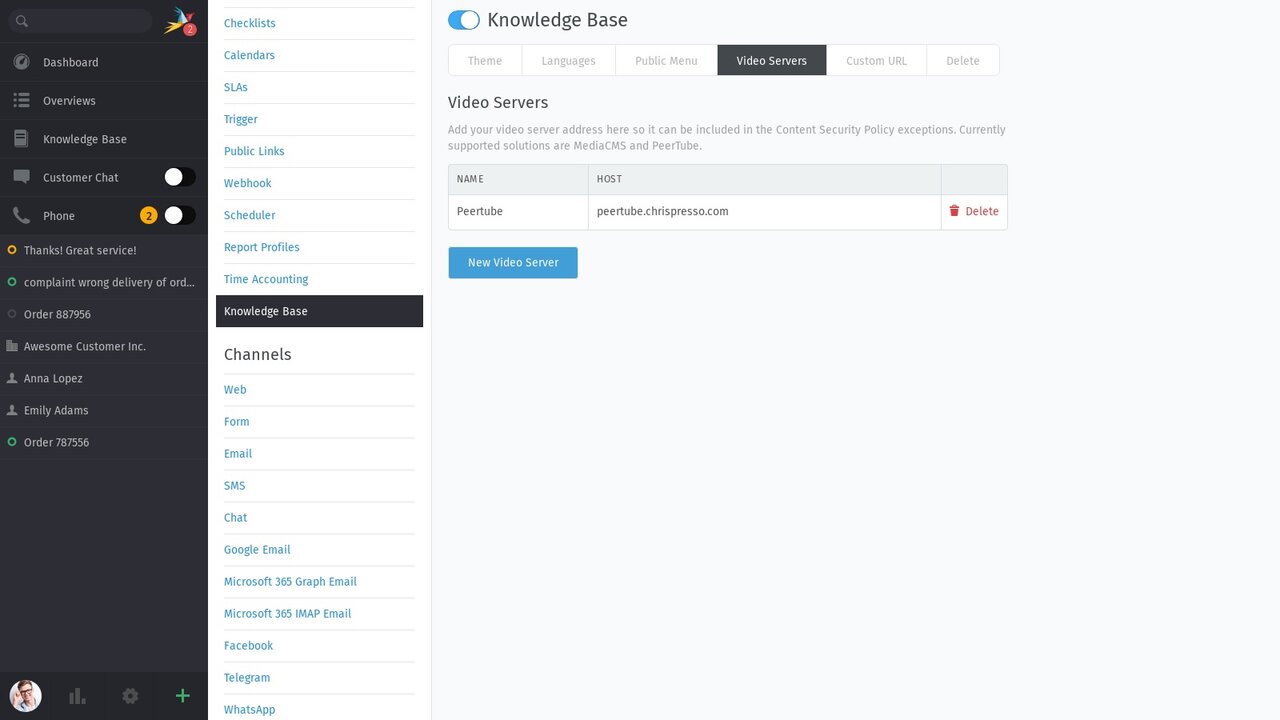
Some things are easier to explain in a video than in text. While Zammad already supports embedding videos from platforms like YouTube and Vimeo, version 7.2 expands this capability to include self-hosted video content.
Organizations can now host video files from their own internal or external media streaming servers and embed them directly into knowledge base answers.
These changes give you full control over your content and data privacy without sacrificing a smooth, interactive video playback experience for your customers and agents.
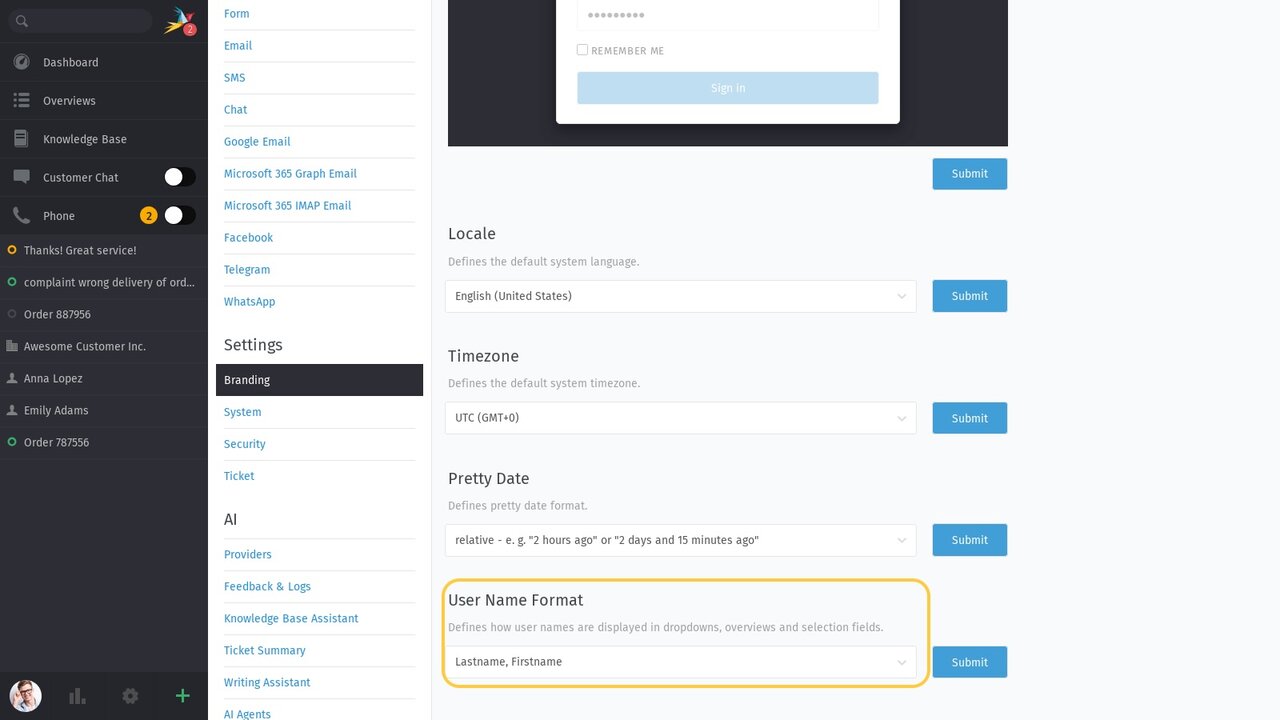
First Name Last Name? Last Name First Name? Or Last Name, First Name? What might sound like a minor detail actually makes a noticeable difference in daily support work—especially when scanning long user lists or working in organizations that primarily identify customers by last name.
Zammad 7.2 allows administrators to define the order of user names centrally. This feature makes it easier to align Zammad with your organization’s naming conventions and internal workflows.
The selected format is applied consistently throughout the Zammad interface, including in overviews, selection fields, and the ticket sidebar.
APIs, triggers, and third-party integrations power amazing automated workflows. However, these features can also generate unnecessary notifications for agents during routine background updates.
Zammad 7.2 introduces the option to suppress these notifications. Third-party systems can now update ticket attributes quietly in the background without triggering unwanted email or in-app alerts.
This cuts down on notification fatigue for your support team, ensuring smooth and quiet processes across complex system integrations.
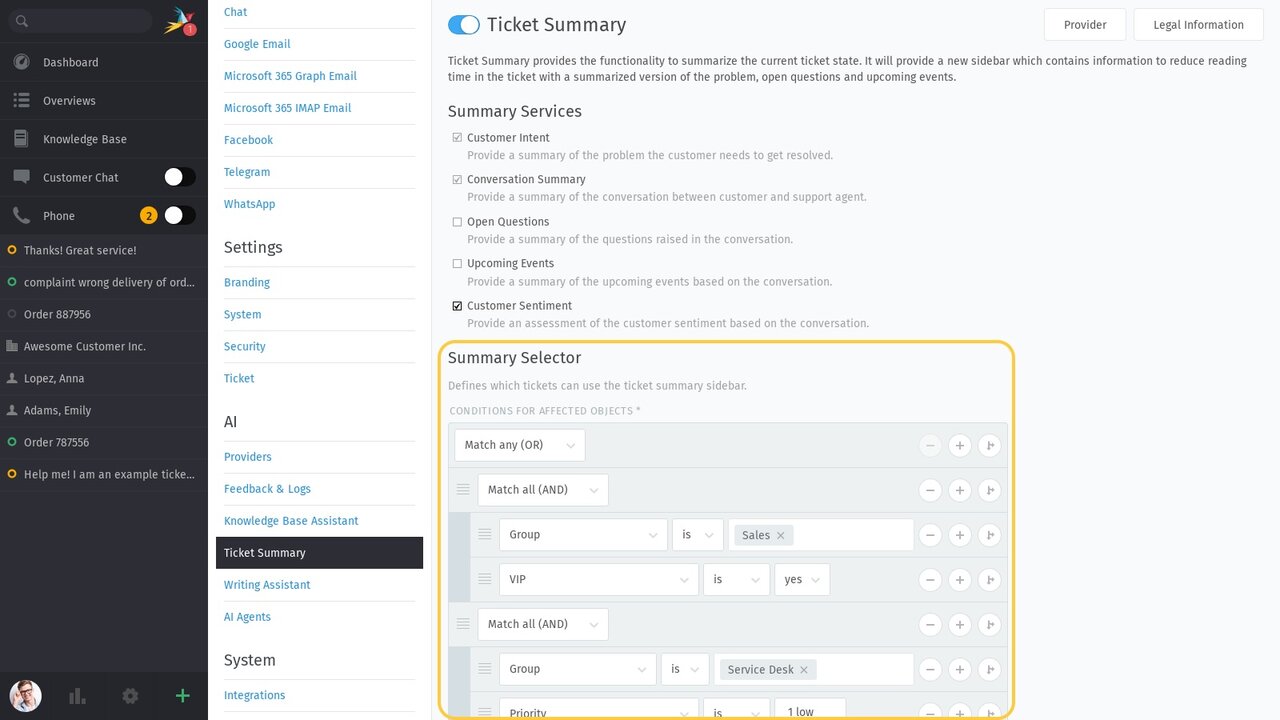
A quick ticket like "Hi, please reset my password" doesn't need an AI summary. To keep workflows efficient, it often makes more sense to enable this AI feature strictly for specific ticket types, priority levels, or specialized teams.
Zammad 7.2 introduces Summary Selector for this exact purpose. Administrators can define specific conditions based on state, priority, group, or custom fields to determine when AI summaries are available.
This helps you avoid unnecessary AI usage and cut associated API costs where a summary adds little value.
For the new Admin Audit Log, Elasticsearch must be reindexed after updating to Zammad 7.2. Please factor this additional step into your update process to ensure the Audit Log is fully available.