Minor Release
Zammad 7.1
· This release helps you bring more structure to your support workflows while reducing manual effort. Turn incoming requests into clean, actionable data — with privacy at the core and control firmly in your hands.
· This release helps you bring more structure to your support workflows while reducing manual effort. Turn incoming requests into clean, actionable data — with privacy at the core and control firmly in your hands.
From extracting specific values with regex to identifying information and adding tags with AI, Zammad 7.1 helps support teams capture the right information faster and keep ticket data structured from the start.
Want to see the features in action? Join our release webinar or let Marcel—aka “That Helpdesk Guy”—walk you through the highlights in his latest video on YouTube.
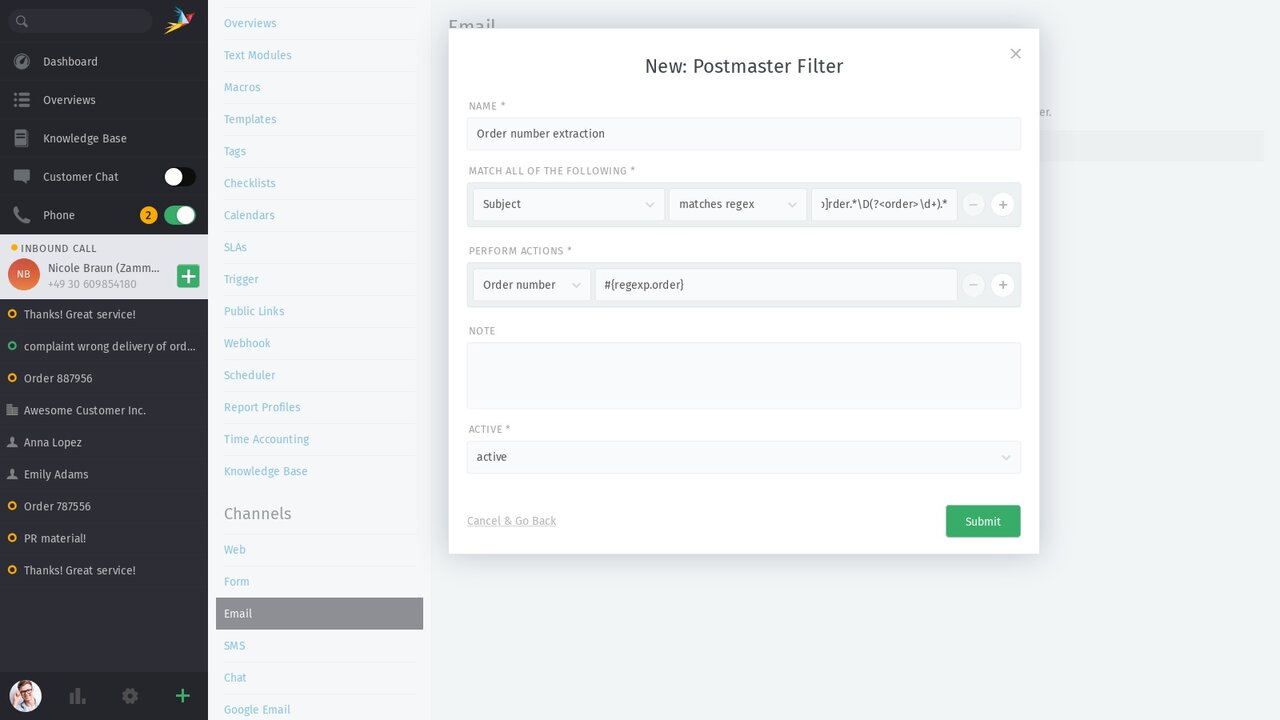
Sometimes, you really do need to find the needle in the haystack. External ticket numbers, order IDs, customer references, and other structured values are often hidden in the subject or message body of an email.
With Zammad 7.1, admins can now use regular expressions, or regex, in Postmaster filters to extract specific text from incoming emails and reuse it in filter actions. This makes it possible to automatically populate ticket attributes based on the content of an email.
Extracted values are made available in a structured namespace, such as regex.NAME, and can be used as placeholders in the action section of the Postmaster filter.
👉 Learn more in our admin documentation regex in Postmaster filters
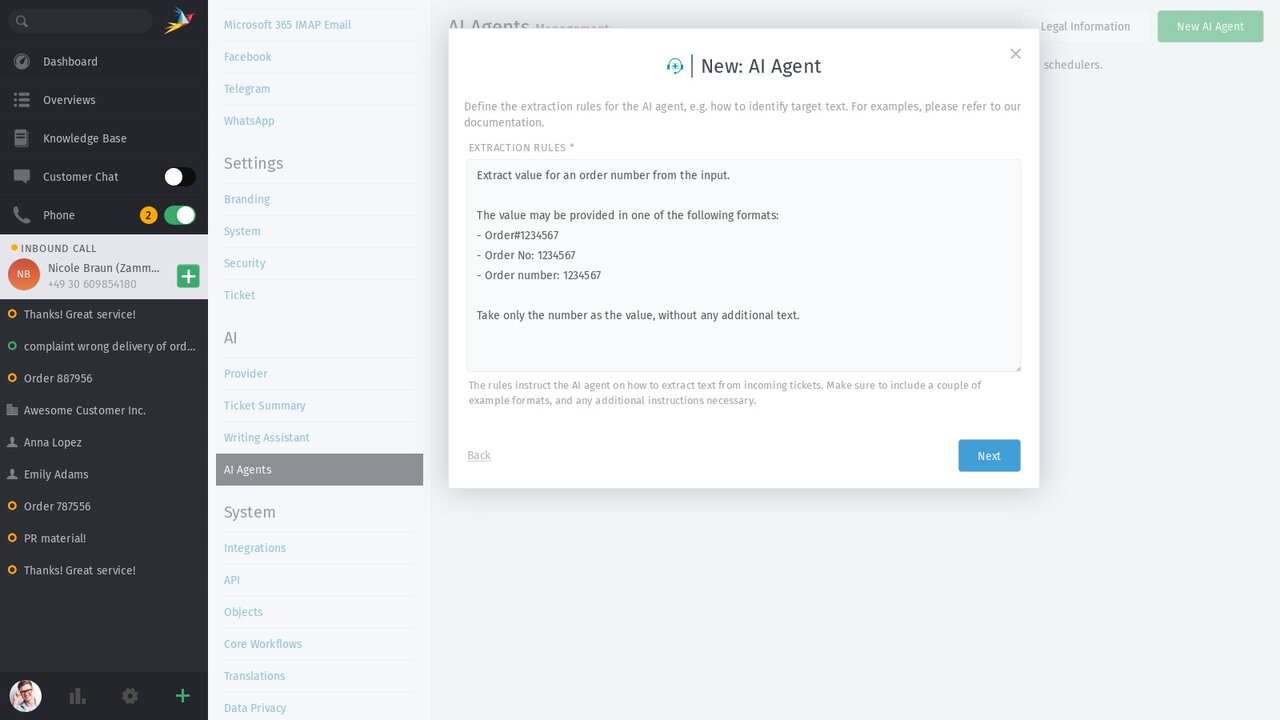
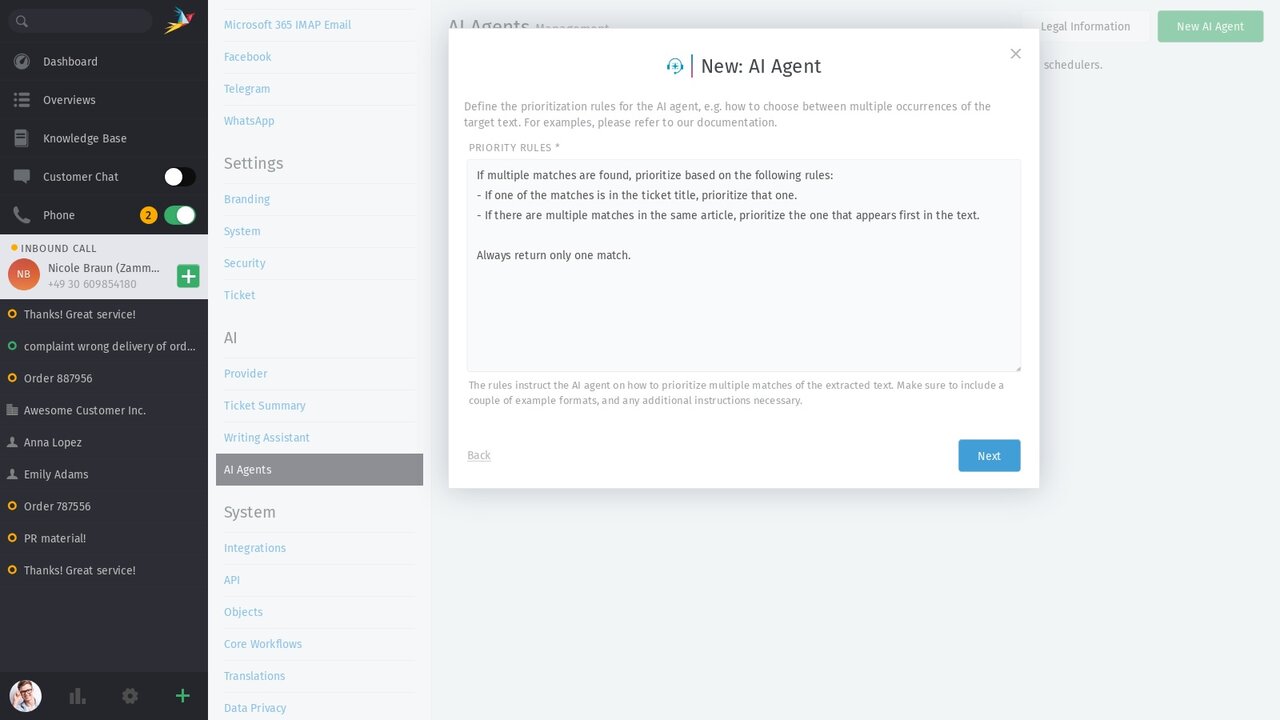
While regex is especially useful for clearly defined patterns, the new AI Agent for text extraction is designed to work with natural language. It can analyze incoming tickets and identify information such as contact names, product mentions, or invoice numbers — even when these details do not follow a consistent format.
The extracted information can be written into the corresponding ticket attributes automatically. This reduces manual data entry, improves data quality, and helps support teams work with structured, usable information from the moment a ticket arrives.
👉 Read all the details in our admin documentation AI Text Extractor
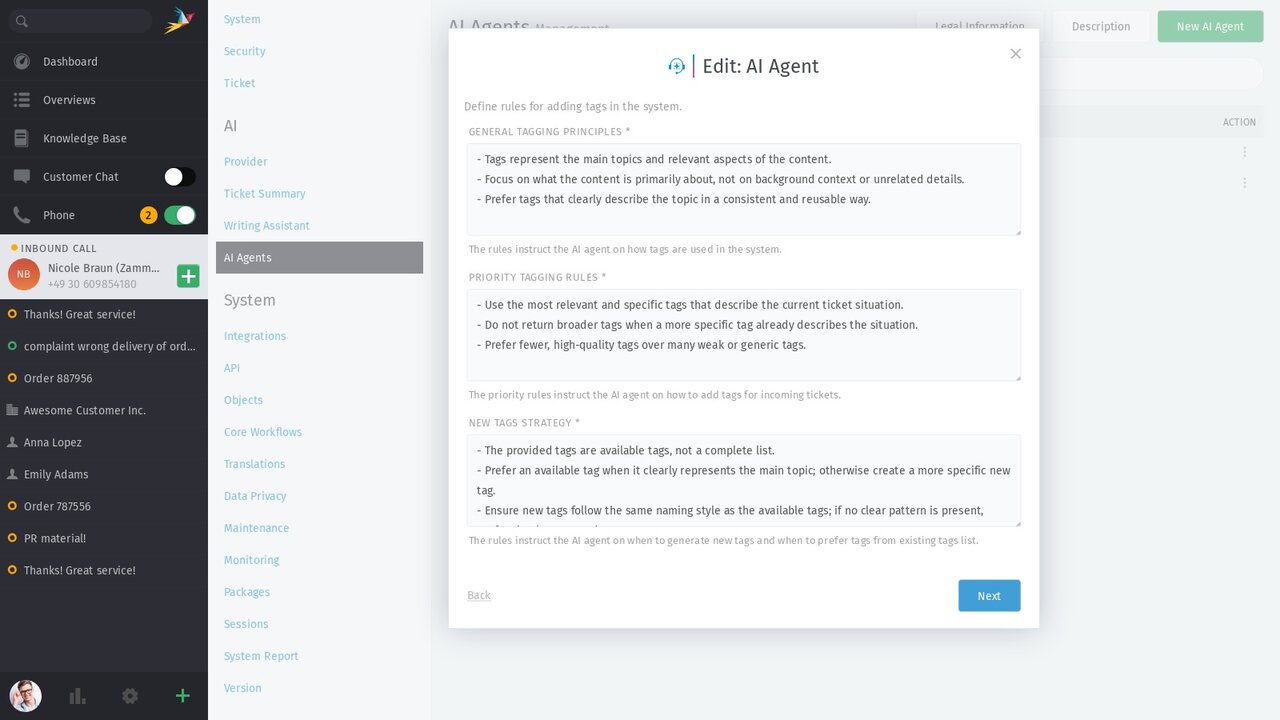
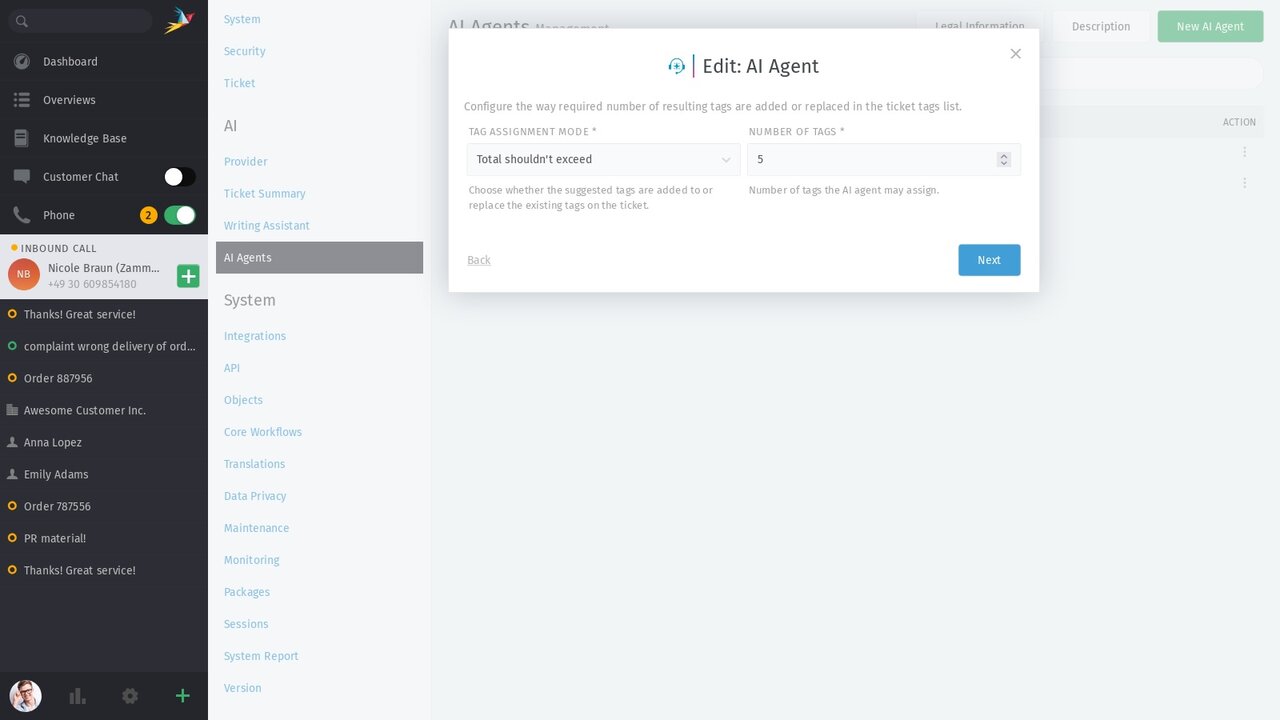
Well-placed tags make tickets easier to find, group, and analyze. They also provide an important basis for automation. In everyday support work, however, manual tagging can quickly fall behind — especially when ticket volume increases.
With Zammad 7.1, the new AI Agent for ticket tagging can automatically enrich incoming tickets with relevant tags. Whether there is a sudden increase in mentions of “app crashes” or a growing number of requests about “billing”, automatic tagging helps keep tickets structured, searchable, and ready for analysis, even as volume grows.
The result is cleaner ticket organization, better visibility into emerging trends, and more reliable workflows — even when things get busy.
👉 More in our admin documentation AI Ticket Tagger
From Zammad 7.2 onward, Elasticsearch 7 will no longer be supported. Elasticsearch 8 or later will be required.
Starting with Zammad 7.2, calendars can no longer be configured with a local file path as the iCal feed source. Only HTTP/HTTPS URLs are accepted.
⚠️ If you are currently using a local .ics file path, please host the file on an HTTP server and update the calendar's iCal feed URL before upgrading to Zammad 7.2.
The deprecated es-ca locale for Catalan will no longer be offered for selection starting with Zammad 7.2. Users still set to es-ca will be automatically migrated to the proper ca locale. Existing Knowledge Base locales referencing es-ca will not be migrated automatically due to the URL change and must be updated manually.
Starting with Zammad 7.2, the default Content-Security-Policy header will include a new frame-ancestors 'self' directive.
⚠️ Setups that currently allow the Zammad web interface to be embedded in an <iframe> on a different origin by overriding the X-Frame-Options header at the reverse proxy will now be blocked again by the new frame-ancestors 'self' CSP directive. To re-enable embedding from trusted origins, the frame-ancestors directive of the Content-Security-Policy response header must be adjusted at the reverse proxy as well.


