· Long awaited, now finally here: With Zammad 7.0, the first AI features are making their way into your everyday support work. We have worked hard to develop a solution that requires no compromises: Benefit from intelligent support while retaining full control over your data and the language model used.
Zammad 7.0 makes AI a practical tool for your helpdesk — from automated ticket actions and lightning-fast summaries to hands-on support when drafting replies. And we’re staying true to our principle: we provide the features, you stay in control of the infrastructure. Which LLM is used is entirely up to you — aligned with your own security standards.
Want to see what that looks like in practice and how our beta testers rate the new features? Head over to our AI topic page.
But first — the release highlights 👇
🎥 Prefer watching to reading?
No problem! Marcel – aka That Helpdesk Guy – will guide you through what’s new in Zammad 7.0 in his latest YouTube video. Nerd talk included!
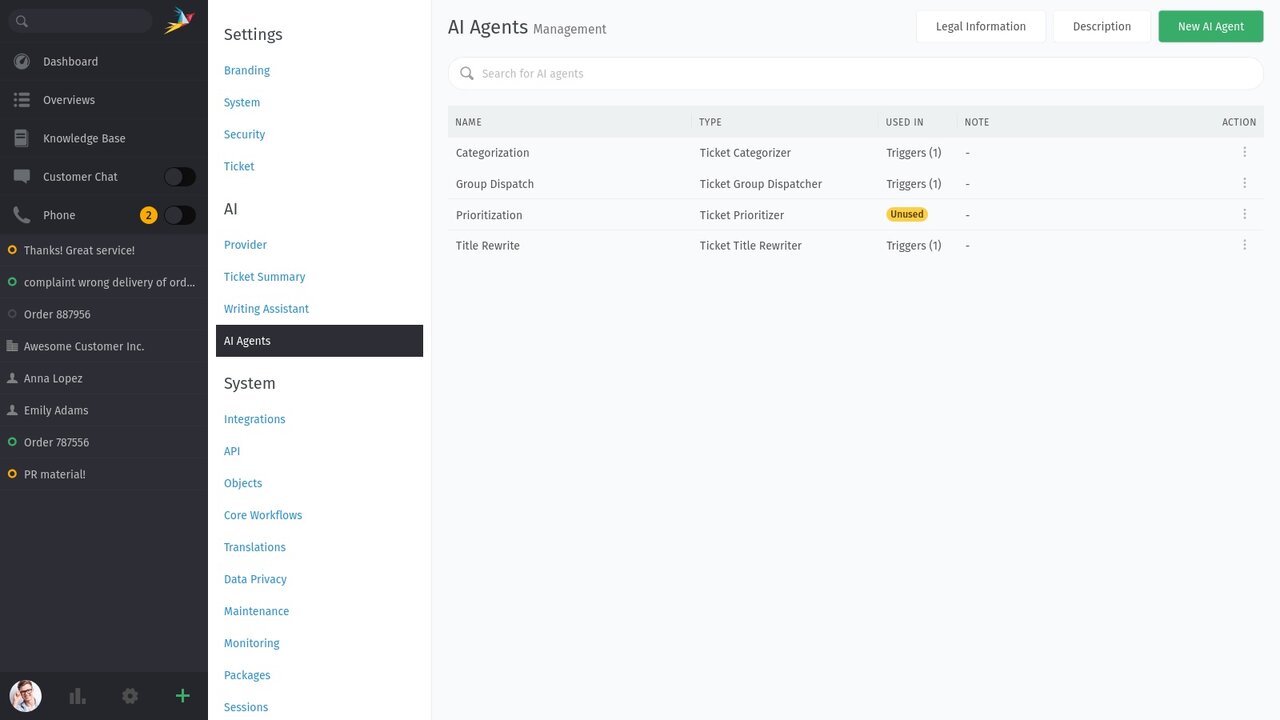
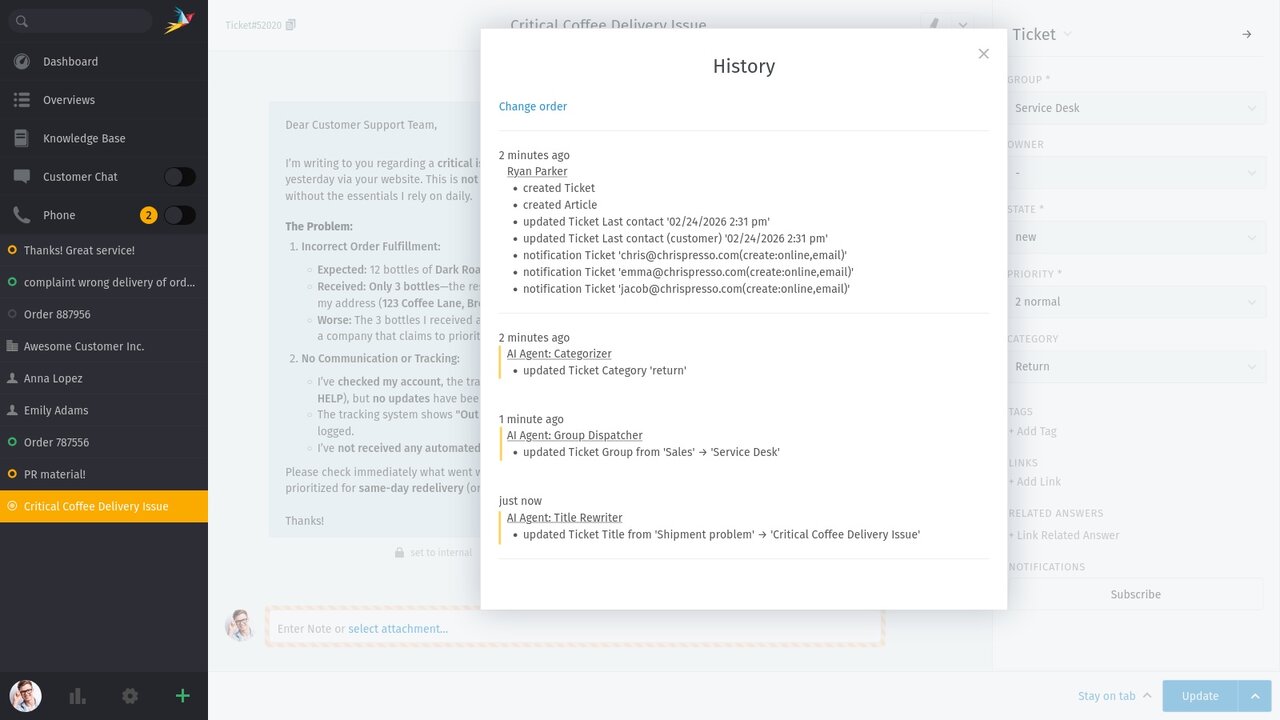
Our AI agents do the groundwork in your inbox. Once configured, they can be flexibly integrated into triggers, macros, or scheduler jobs. These agents take on tasks such as automatic categorization, setting priorities, or even overwriting ticket titles for greater clarity.
Complete transparency: Every action taken by an AI agent is documented in the ticket history, so every change remains traceable.
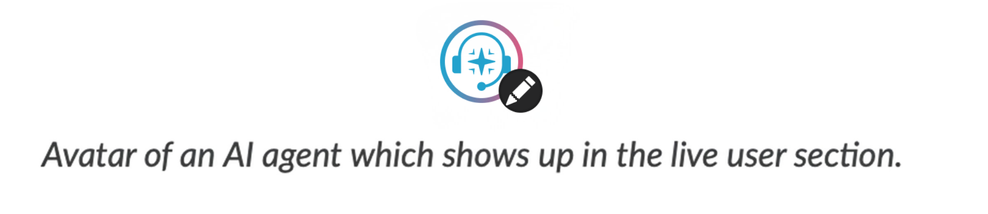
Live collision notification: When an AI agent is processing a ticket, this is indicated by an avatar in the live user bar. This prevents simultaneous manual changes.
AI provider: Before you activate agents, the LLM of your choice must be configured.
Permissions: The new permission ‘admin.ai_agent’ is required to manage agents.
Activation: Define your AI agents under “AI” > “AI Agents.” These do not run on their own, but must be explicitly called as an action in a trigger, macro, or scheduler job (e.g., perform action on objects: AI Agent > [your agent]).
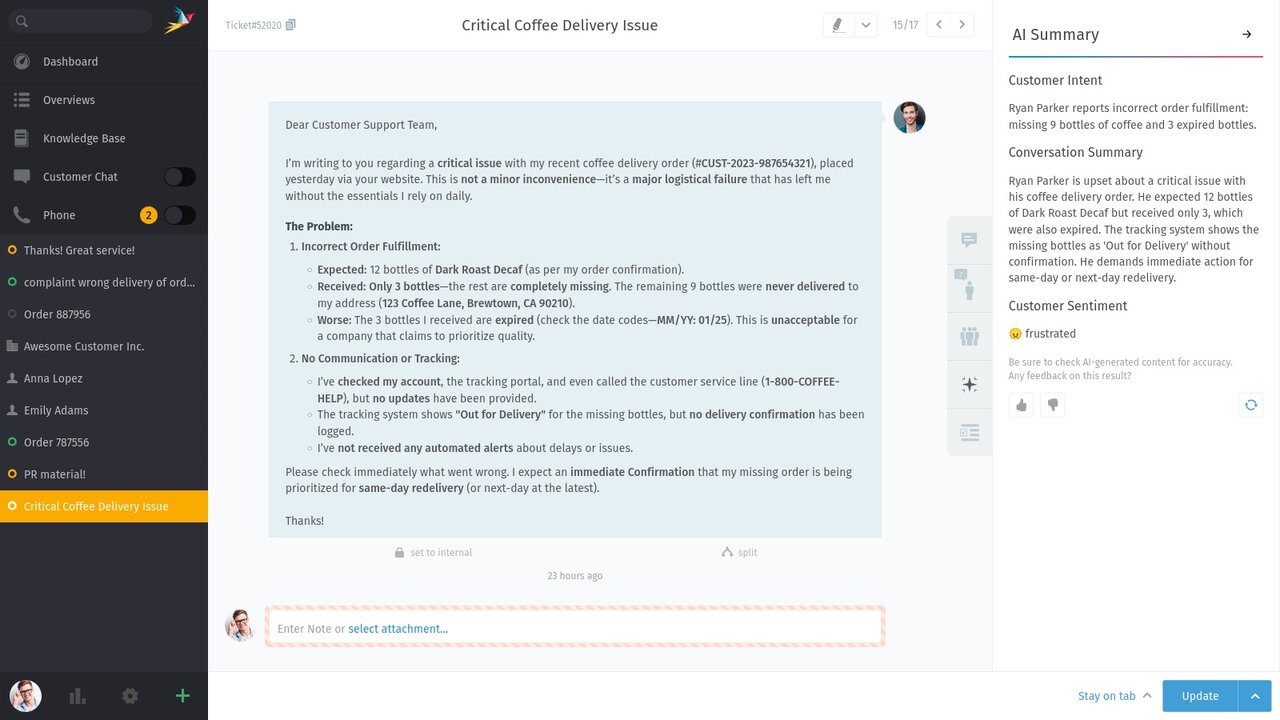
Long ticket histories take time. With the AI summary, agents can get a precise overview of the conversation so far and the core issues of a case with just one click. This ensures immediate knowledge transfer, especially during handovers or escalations, without having to manually review pages of communication history.
What the AI summary provides you at a glance
Once the analysis is complete, an indicator on the sidebar tab informs you of the results. You immediately gain clarity on:
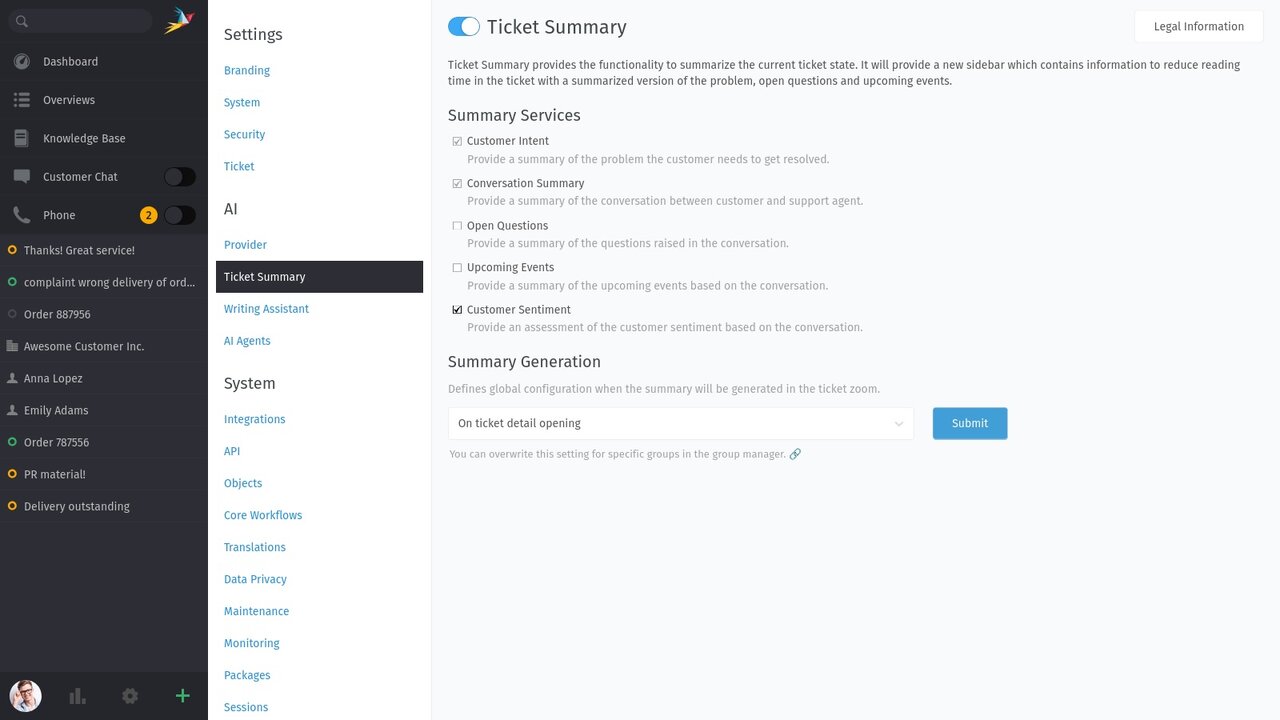
Customer Intent: What does the customer want to achieve?
Conversation Summary: What has been discussed so far?
Open questions: What is still unclear, what information is missing?
Upcoming Events: What appointments/tasks are pending (e.g., callback, shipping)?
Customer Sentiment: What is the tone of the ticket (e.g., cooperative, neutral, angry)?
As with all AI features in Zammad 7.0, full control is a priority:
Not active by default: The feature is disabled by default. Before activation, an AI provider (LLM) must be configured under . If no provider is stored, the system will display a warning message.
Modular configuration: While the customer concern and summary are set by default after activation, you can flexibly enable or disable the other analysis modules (open questions, events, sentiment) as needed and depending on the use case.
Resource control: As an admin, you can set whether the summary is generated automatically when the ticket is opened (maximum convenience) or only when the tab is clicked (resource-saving). This setting can be defined individually for each group.
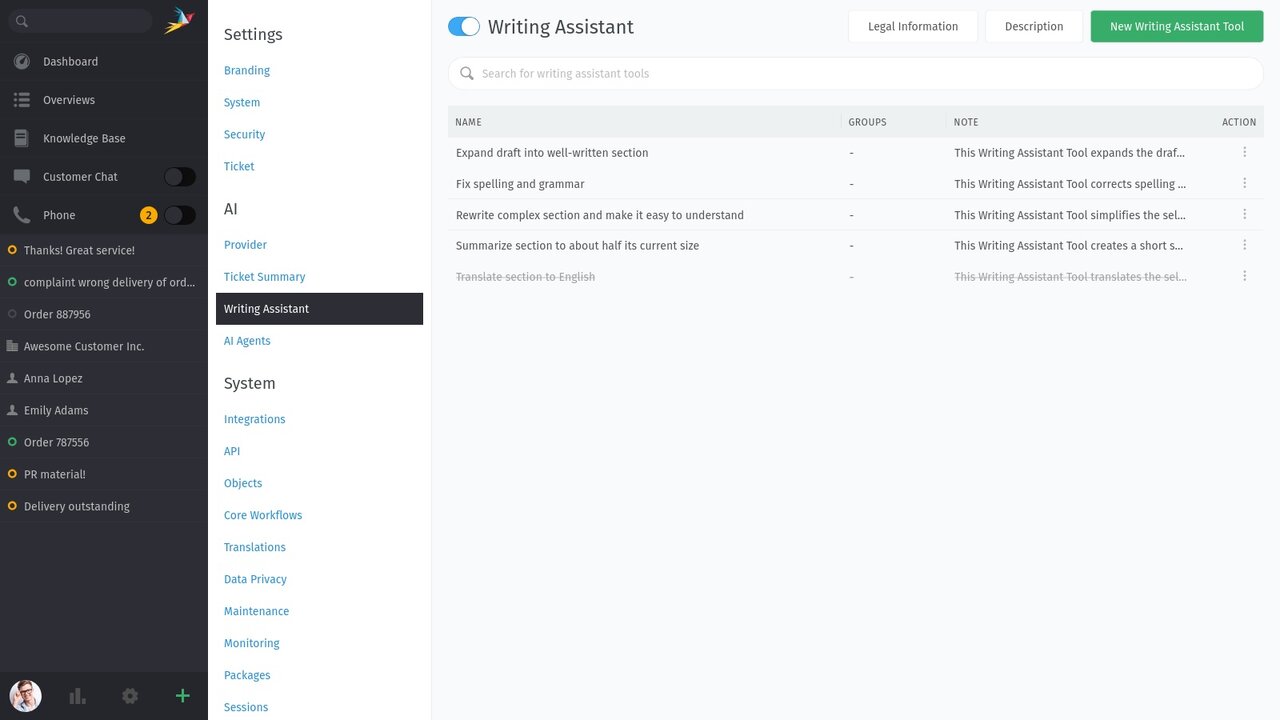
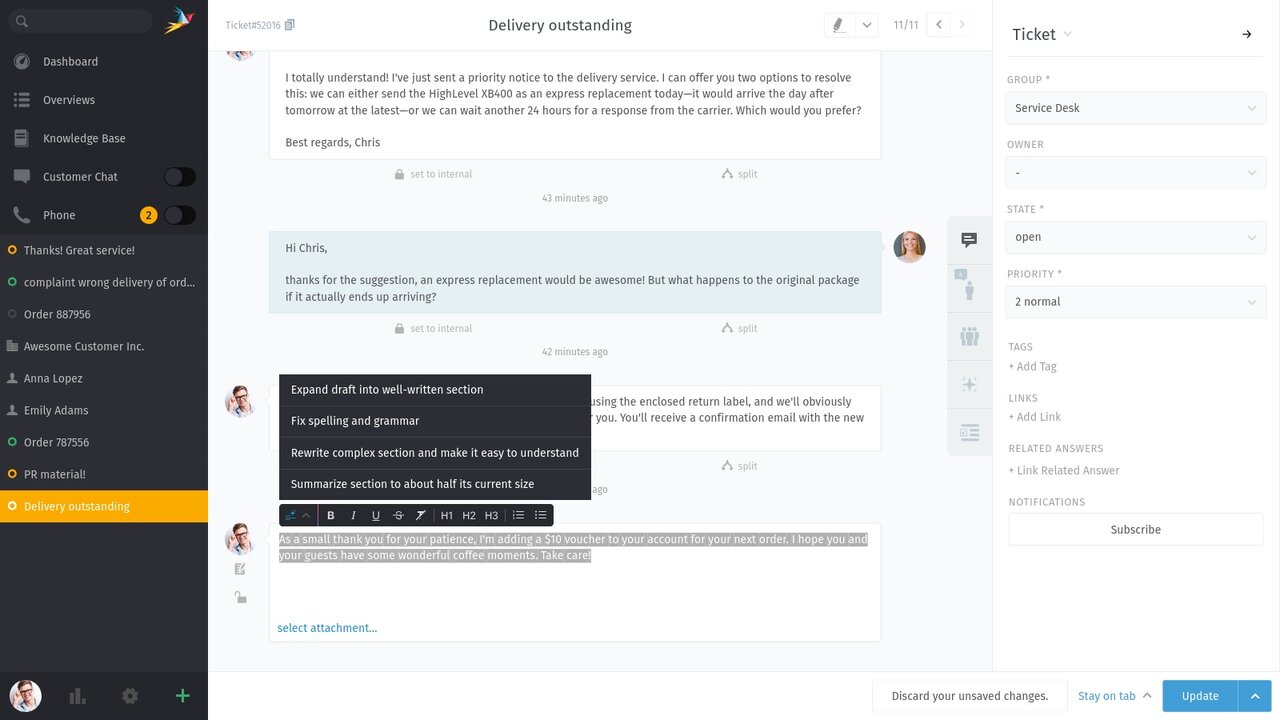
The AI writing assistant helps your team in the ticket editor to formulate more precise and professional responses. The AI provides suggestions, but the final decision always rests with your agents.
Standard tools (activate and use immediately):
Convert drafts into well-written paragraphs
Correct spelling and grammar
Easily rephrase complex paragraphs
Summarize long texts concisely
Translate into other languages
Custom tools:
Create your own AI writing assistants for very specific use cases, for example, for industry-specific wording or to give texts a very specific tone (mood).
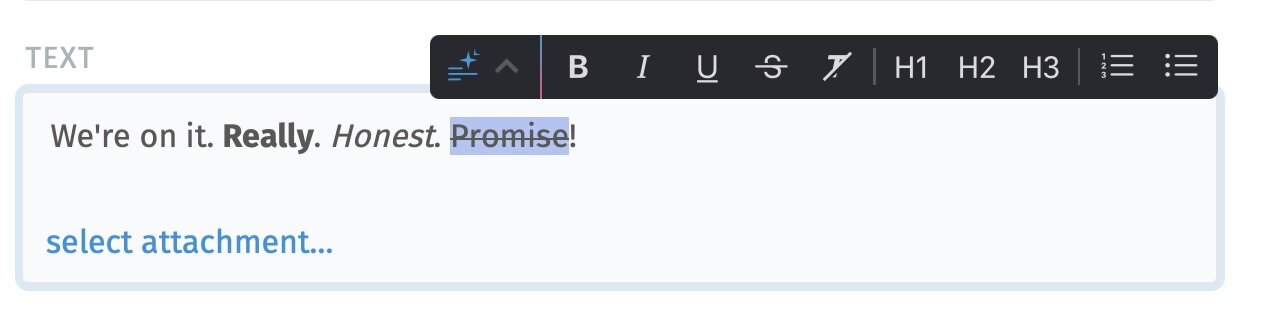
Zammad 7.0 makes text editing much more convenient. Previously, formatting options were mainly accessible via keyboard shortcuts. Now, the new bubble menu provides all the important text formatting tools conveniently in the editor.
Tools at your fingertips: Use formatting options such as bold, italics, or lists, as well as the new AI writing tools, directly on your selection.
Auto-scroll: To help you stay focused, the menu always remains visible—even when the selection is at the edge of the screen.
Smooth workflow: The menu eliminates the need for long mouse movements and makes keyboard shortcuts optional without interrupting your writing flow.
Zammad now supports nested (recursive) groups for role mapping. Admins can decide individually for each assignment whether users from subgroups should be automatically included. This enables seamless integration of existing, complex directory structures without additional manual effort.
👉 You can find all the details in our admin documentation on LDAP in Zammad.
Access to reporting profiles can now be restricted to specific roles (similar to overviews). For example, team leaders can be given targeted access to relevant metrics without reporting remaining an “all-or-nothing” tool. Without an assigned role, a profile remains visible to all users with reporting permissions.
Webhooks now support additional HTTP methods and the Bearer token authentication standard. This not only makes connecting third-party systems more secure, but also allows Zammad to communicate with itself via its own API. This enables complex processes to be automated, such as the automatic creation of follow-up tickets or the direct assignment of checklist templates when tickets are updated.
The new ASCII folding support in the search requires that the Elasticsearch index (if used) be rebuilt after updating to Zammad 7.0. Detailed information can be found in our documentation at Rebuilding Elasticsearch Index.
We are changing the behavior of the hidden setting system_bcc in the next release. System notifications will no longer be sent automatically with system_bcc. From now on, only customer communications will continue to be sent.