
A decade of Zammad. That's countless tickets, powerful features, useful integrations, and a whole lot of ideas brought to life along the way. What better occasion than our tenth anniversary to take a trip down memory lane? We're looking back at where it all began, the milestones that shaped our journey, and the features that made Zammad what it is today. And since we're far from finished, we'll also take a little peek at what the future holds.

Zammad 1.0: A Fresh Take on Helpdesk Software
When Zammad first launched, ticketing systems were nothing new. There were established open-source solutions, large enterprise platforms, and modern cloud-based services. But despite all the options, there was usually a trade-off: More control and flexibility often meant sacrificing ease of use, while a modern user interface frequently came with greater vendor dependency.
Zammad set out to bring the best of both worlds together. Open source and self-hosting were part of the concept from day one, alongside the option to use Zammad in the cloud. Just as importantly, working with a helpdesk shouldn't feel like wrestling with traditional enterprise software. That's why Zammad's interface took inspiration from something people were already familiar with: the web browser.
Tabs were a core part of the experience right from Zammad 1.0. They let agents open multiple tickets, work on several requests at once, and switch between them with ease. And here's a particularly useful detail: Even if a ticket tab is closed, drafts and attachments are preserved.
But an intuitive interface alone doesn't make workflows efficient. All those small, repetitive tasks that add up throughout a support agent's day should take as little time as possible, too. That's why Zammad included practical time-savers from the very beginning: powerful full-text search to quickly find past requests and solutions, keyboard shortcuts for faster navigation and actions, and macros that let agents complete multiple steps with a single click.
Communication was never meant to stop at email, either. Phone calls, live chat, and messages from Facebook and Twitter could all be managed in one interface from Zammad 1.0 onward. Instead of constantly switching between applications, support teams could handle their conversations in one place. This multichannel approach remains a cornerstone of Zammad today, with additional channels and integrations such as Telegram, WhatsApp Business, and Microsoft Teams joining the lineup over the years.
And Zammad didn't stay at version 1.0 for long. Shortly after the initial release, Zammad 1.1 opened up its REST API to external applications. Access tokens, OAuth2, and the first Ruby and PHP client libraries made it easier to connect Zammad with other systems. Integrations with Slack and sipgate.io soon followed.
The direction was clear from the start: Zammad was never meant to be a standalone solution.
Feature Highlights
View all features



Zammad 2.0: Built for Growing Teams
In a small support team, many things can be sorted out with a quick conversation. Who's handling which ticket? Who can access what information? And who's covering when someone is on vacation? But as an organization grows, clear responsibilities, access permissions, and well-defined processes become increasingly important.
Zammad 2.0 introduced features designed to address exactly these challenges and make life easier for larger teams. LDAP integration allows organizations to connect Zammad to their existing user directories, while the Exchange integration makes it easier to work within established communication environments. Enhanced role management provides more granular control over access permissions, and the out-of-office feature helps teams arrange coverage during vacations or sick leave.
Another addition in version 2.0 was the ability to sign in using a Microsoft account or Azure AD, making it even easier to integrate Zammad into existing IT infrastructure.
These improvements might not sound quite as exciting as a brand-new interface, but they make a real difference in larger organizations. As more people work together, it's not just ticket management that becomes more complex. Managing access rights and integrating seamlessly with existing IT systems becomes just as important.


Zammad 3.0: Knowledge Worth Sharing
Anyone who's worked in support knows the feeling: Some questions come up again and again. Eventually, you know the answer by heart, yet you still find yourself typing it out every time a new ticket comes in.
With Zammad 3.0, that knowledge finally had a place of its own: the Knowledge Base. It allows teams to collect answers, guides, and other useful information in one central location, organize it clearly, and make it accessible whenever it's needed. Instead of valuable knowledge getting buried in individual tickets, everyone on the team can benefit from it.
But the Knowledge Base was about more than just helping support agents. Customers could benefit, too. With publicly accessible knowledge articles, they can find answers to common questions on their own, leaving support teams with more time to focus on complex requests.
Beyond knowledge management, Zammad continued to evolve as a platform. Client libraries for Ruby, PHP, Python, and .NET became available for the REST API, while additional language support and authentication options made Zammad even more versatile.
With version 3.0, Zammad became more than a tool for managing tickets. It also became a place where knowledge could be collected, shared, and put to good use for years to come.
The Big Addition
View all features
Zammad 4.0: Support Is a Team Effort
“Can you take a quick look at this ticket?” Sound familiar? Not every support request can be resolved alone. Sometimes you need help from someone on another team, or perhaps a developer's expertise to get to the bottom of a technical issue.
To make collaboration easier and avoid unnecessary back-and-forth, Zammad 4.0 introduced the Mention and Watch feature. Agents can mention colleagues in a ticket and automatically notify them without having to reassign it. Anyone who wants to follow a ticket's progress can simply subscribe it and stay informed about updates. No more passing tickets around just to get a second opinion.
But collaboration shouldn't stop at the support team. Zammad 4.0 also strengthened the connection between support and software development. With the GitHub and GitLab integrations, tickets can be linked directly to issues. Key information, including status, assignees, and labels, stays visible right inside the helpdesk, saving teams from constantly switching between systems.
To round things off, Zammad 4.0 also expanded its reporting capabilities with Grafana and Kibana integrations. Custom dashboards make it easier to analyze support data, identify bottlenecks early, and make data-driven improvements to workflows.




Zammad 5.0: One Size Doesn't Fit All
An IT support team needs different information than a customer service team. Internal processes work differently from customer support. And even within the same organization, requirements can vary significantly depending on the type of request. Yet in many ticketing systems, everyone is stuck with the same ticket forms.
That's where Zammad 5.0 came in with Core Workflows, a feature that allows the user interface to adapt to different processes and requirements. Based on predefined conditions, fields can be shown or hidden, made mandatory, or limited to specific options.
That might sound technical, but the everyday benefit is simple: Users see exactly what they need, when they need it. Someone reporting a technical issue, for example, can be presented with different fields than someone handling a general inquiry.
With Core Workflows, Zammad took one of its founding principles a step further: People shouldn't have to adapt the way they work to fit their software. Their software should adapt to them.
Key Addition
View all features
Zammad 6.0: Support Beyond the Desk
Support doesn't always happen at a desk. Whether you're on the move or simply away from your computer, you still need to stay on top of your tickets. That's where Zammad 6.0 took a major step forward with the introduction of Mobile View. More than just a scaled-down desktop interface, it provides a smartphone-optimized experience that makes reading and managing tickets on the go much easier.
But Zammad 6.0 had plenty more to offer. The introduction of Duplicate Detection made ticket handling even more efficient. When creating a new ticket, Zammad can check for similar existing requests, helping teams spot duplicates early and avoid having multiple agents working on the same issue.
Automation and integrations also received a major boost. WebHooks gained support for custom payloads, making it possible to send more precisely tailored data to external applications and automate workflows with greater flexibility. A preconfigured WebHook for Microsoft Teams also made connecting Zammad to the collaboration platform even easier.


Zammad 7.0: AI Enters the Helpdesk
And that brings us to the latest generation of Zammad. Artificial intelligence is everywhere these days, and it's changing the way customer support works, too. But for us, the question was never simply how to add AI. It was about where AI could genuinely make a difference and take some of the workload off support teams.
With Zammad 7.0, the first AI-powered features became part of the helpdesk. The AI Writing Assistant helps agents draft, refine, shorten, and translate responses, with customizable writing tools that can be tailored to specific requirements and tones of voice. For lengthy ticket conversations, AI Ticket Summarization makes it easier to get up to speed by condensing the customer's request, previous interactions, and outstanding tasks into a concise overview.
Taking things a step further are AI Agents. They can independently handle tasks within predefined workflows, such as categorizing tickets, setting priorities, or updating ticket titles. These actions can be triggered through triggers, macros, or schedulers, and any changes made by an AI Agent remain traceable in the ticket history.
But introducing AI wasn't just about what the technology could do. It was also about who gets to decide how it's used. That's why Zammad stays true to its commitment to choice and flexibility: Organizations can select their own language models and AI providers. Whether it's OpenAI, Claude, Mistral, or a locally hosted model via Ollama, there's no need to commit to a single provider.
Key Additions
View all features


The Building Blocks Between Major Releases
Looking at the major version numbers alone, product development can seem surprisingly straightforward. Version 1.0, 2.0, 3.0 – and before you know it, you're at 7.0. But between those milestones are countless smaller improvements, bug fixes, technical updates, new integrations, and, of course, ideas and feedback from our community. Often, it's these less visible changes that keep a product running reliably year after year.
A lot has changed over the past decade, but our mission remains the same: to make support work easier, keep information accessible where it's needed, reduce repetitive tasks, and give organizations full control over how they run their helpdesk.
Designed for the Future
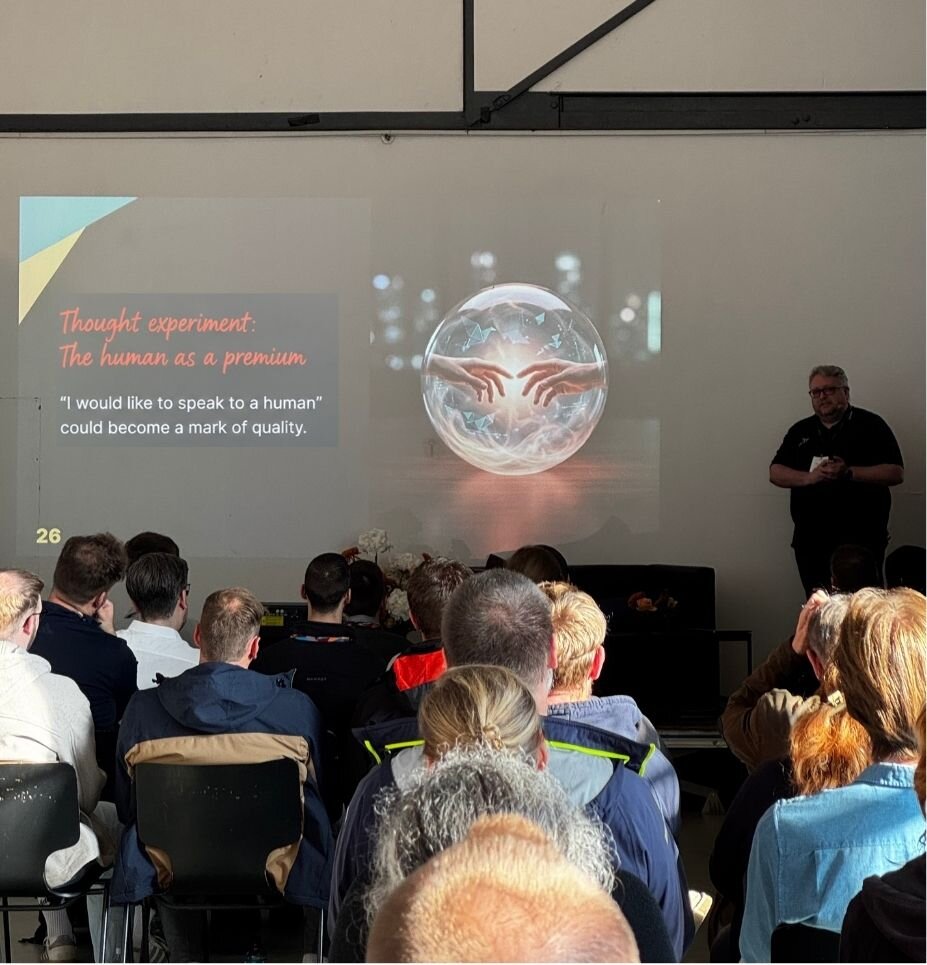
Looking back on ten years is relatively easy. Predicting the next ten? That's a different story. After all, product development rarely follows a fixed roadmap that's written today and checked off step by step until 2036. Technology evolves, needs change, and new ideas emerge along the way. And who knows? By 2036, speaking to a real human support agent might even become a premium service. “I'd like to speak to a human” could suddenly become a mark of quality.
But before we get too carried away with predictions, let's take a look at what's already on our radar and what will shape Zammad in the years ahead.
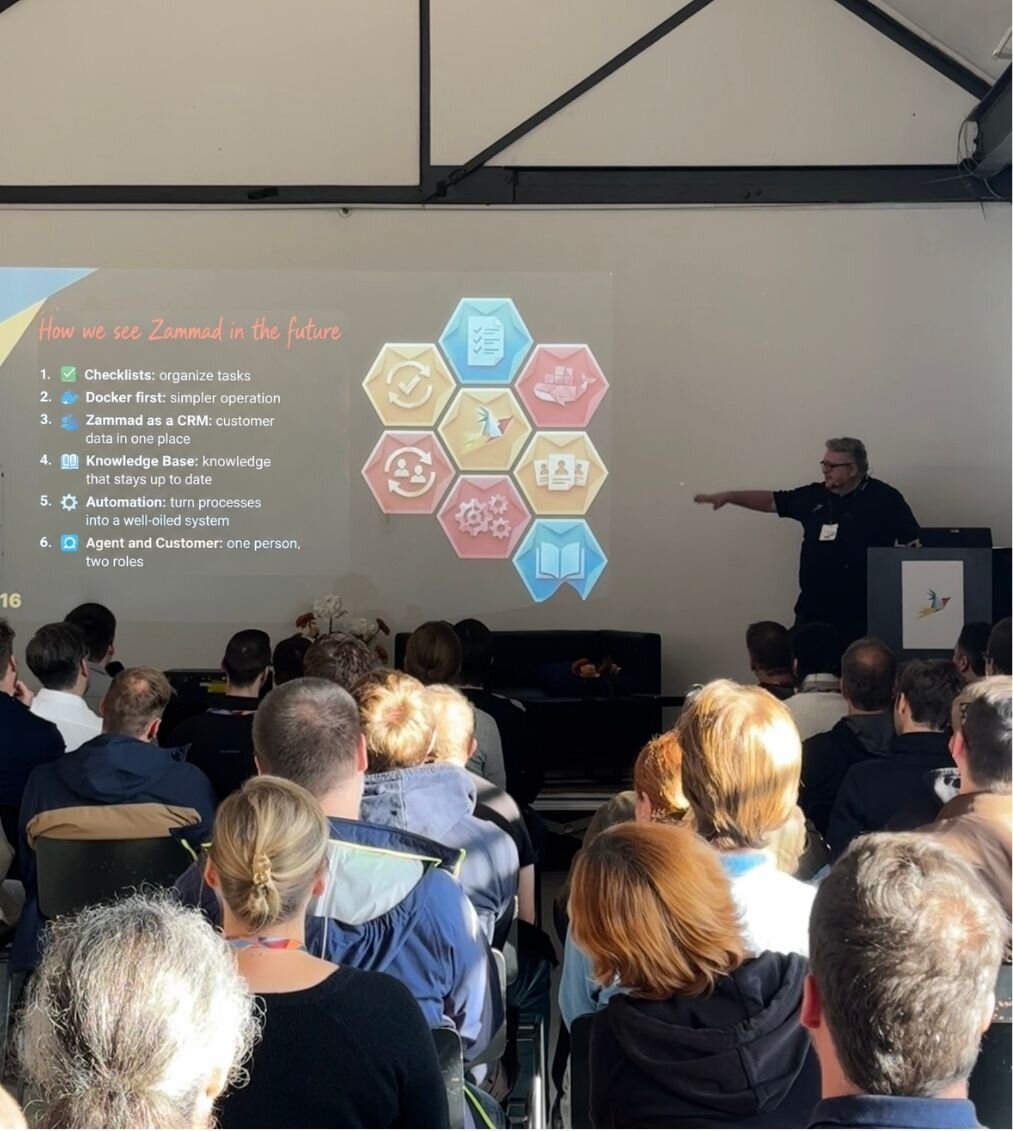
Artificial intelligence will continue to play a major role. Zammad 7.0 marked the beginning of our AI journey, and we're just getting started. In the future, we want AI to take even more work off support teams' plates, for example by suggesting relevant responses based on existing information. But one principle remains essential: human in the loop. AI can assist, prepare, and handle routine tasks, but humans always have the final say.
Big changes are also coming to the Zammad UI. A new technical foundation will pave the way for a modernized interface and make it easier to develop new features faster and more flexibly. And for users, the goal remains the same: a modern experience that feels just as intuitive as ever.
Then there's self-hosting. Zammad can already be deployed using Docker, but we plan to strengthen official support for this option. Because to us, open source means more than making the source code available. It also means giving organizations the freedom to run Zammad on their own infrastructure, with a modern, reliable deployment option for years to come.
Of course, there are plenty of improvements on the horizon that might not sound like big futuristic breakthroughs but can make a real difference in everyday work. We're planning to expand contact and organization management to make it easier to maintain user and company data and synchronize it with external services. The Knowledge Base will continue to evolve, too, with improvements such as additional import and export options and better ways to collect feedback on knowledge articles.
We're also looking at a situation that's surprisingly common in larger organizations: What happens when someone is both a support agent and a customer? Imagine an employee handling tickets for the IT team, then submitting a request to HR just five minutes later. We want Zammad to better recognize the context in which someone is working and adjust the interface, permissions, and forms accordingly.
Ultimately, all these developments share one goal: to make Zammad more capable without making it more complicated to use. This principle has guided us since the very first release, and it will continue to drive us forward. Because even after ten years, we're still full of ideas for making support simpler, more efficient, and better than ever. And we can't wait to bring those ideas to life together with our community, customers, and partners.
Here's to the next ten years of Zammad! 🎉