🇩🇪 Made & hosted in Germany

Helpdesk Platform for all your support cases

From customer service to IT support and internal operations—deliver seamless customer experiences with Zammad by combining human expertise with AI-driven efficiency.

Start free trial Book Demo

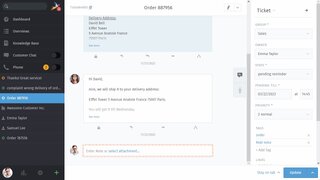
Image of a open ticket in Zammad UI
Image of two people discussing work tasks
Loved by over 2,000 organizations and 50,000+ users worldwide

Intuitive by design. Powerful in action.

Zammad helps teams tackle the daily challenges of support operations—combining powerful features with thoughtful details that make great support feel effortless.

  1. Profile picture of a woman smiling
    Working with tabs
  2. Profile picture of a man in a blue shirt
    Getting to know overviews
  3. profile picture of a woman in a blue t-shirt
    Managing attributes
  4. profile picture of a woman in a beige cardigan
    Setting up forms

Build for transparency, efficiency and scalability

Stay in the loop

Manage internal and external requests in one place: Assign tickets, set priorities, share internal notes, and stay aligned to deliver fast, personalized support across every channel.

Image of a person talking on the phone while working on a laptop

Automate where it helps

With smart templates, bulk actions, and powerful automation, Zammad eliminates repetitive tasks, freeing up your team to focus on complex issues and meaningful customer interactions.

Image of a person sitting on a chair working on a laptop

Connect your tools

Built to fit right into your ecosystem. With open APIs and ready-to-use integrations, Zammad keeps your tools in sync and ensures that information flows where it’s needed.

Image of an open laptop

Three paths, one goal.

There’s no one-size-fits-all approach to implementing a helpdesk system. That's why Zammad offers flexible options for introducing the system, tailored to the needs of your team and company.

  1. Image of a person sitting on a cloud shaped chair working on a laptop
    The worry-free way

    Zammad as
    SaaS

    We take care of everything — from hosting and maintenance to updates and security. Your data stays protected on servers in Germany, fully GDPR-compliant and always available.

    Explore SaaS Plans
  2. image of a customer service representative in a call
    The sovereign way

    Self-hosting with Zammad Support

    Install Zammad in your own IT environment and run it on your servers, with the peace of mind that expert support is available whenever you need it.

    Explore Self-Hosting Plans
  3. Image of three people discussion work
    The strategic way

    Professional
    Guidance

    Our experts have helped organizations around the world plan, implement, train, and launch Zammad smoothly and successfully.

    Discover our Services

The whole package

All Features
  • Helpdesk
    sponsored

    Whether complex processes with several steps or just a few routine tasks - the checklist function helps you to keep an eye on everything without having to switch between different tools.

  • Helpdesk

    The Zammad web app supports over 40 languages. Simply select your preferred interface language and avoid misunderstandings.

  • Security

    With Zammad you are on the safe side: we support various password policies and device logging to ensure that you can work securely and reliably at all times.

  • Productivity

    It's so convenient if you can just look something up. That's why Zammad has an extensive knowledge base. It makes sure everyone is always in the picture - whether they’re an agent or a customer. Depending on your plan even in several languages!

  • Productivity
    sponsored

    Different teams need different data. Our Core Workflows with Dynamic Object Screens allow you to define exactly which ticket fields different groups should see, making Zammad less cluttered - and even more perfect for individual use cases.

  • Productivity

    The needle in a haystack? No problem with Zammad. Our full-text search does not only scan tickets but also their attachments. And all of this at breakneck speed: for example, searching 40GB of data takes less than 3 seconds.

  • Productivity

    Do you have to answer the same questions over and over again? Zammad allows you to create individual ticket templates. This way you never type more than necessary, save valuable time, and can be sure that every agent always finds the right words.

  • Productivity

    Zammad means convenience: with the help of our flexible text modules, customer inquiries can be handled more efficiently. Simply define your own shortcuts!

  • Helpdesk

    Looking to access Zammad while on the go? Look no further! With Mobile View, you can effortlessly manage your tickets, respond to inquiries, and stay updated, no matter your location.

  • Productivity

    Zammad auto-detects the language of incoming tickets—giving you the power to trigger the right responses, route conversations to the right team, and tailor your support from the very first message.

  • Productivity

    Zammad encourages multitasking: your agents can open and edit multiple documents (tickets, users, organizations) at the same time without having to switch between browser windows.

  • Integration

    Link programs quickly, easily, and straightforwardly through a REST API and get real-time information on all your channels and operations.

  • Productivity

    Zammad auto-detects the language of incoming tickets—giving you the power to trigger the right responses, route conversations to the right team, and tailor your support from the very first message.

  • Productivity

    It's so convenient if you can just look something up. That's why Zammad has an extensive knowledge base. It makes sure everyone is always in the picture - whether they’re an agent or a customer. Depending on your plan even in several languages!

  • Productivity

    Zammad encourages multitasking: your agents can open and edit multiple documents (tickets, users, organizations) at the same time without having to switch between browser windows.

  • Productivity

    Closing without saving will have no effect with Zammad. Your latest work is automatically saved and can also be edited from other devices.

  • Productivity

    Zammad means convenience: with the help of our flexible text modules, customer inquiries can be handled more efficiently. Simply define your own shortcuts!

  • Productivity

    Finding important sections easily? Zammad supports the permanent marking of relevant passages so that you can find them at a glance at any time. Bye-bye, sticky notes!

  • Productivity

    The needle in a haystack? No problem with Zammad. Our full-text search does not only scan tickets but also their attachments. And all of this at breakneck speed: for example, searching 40GB of data takes less than 3 seconds.

  • Productivity

    Who was that again? At Zammad, all of your customers have their own information page with all contact details and important information. This way you won't forget anything!

  • Productivity

    Do you have to answer the same questions over and over again? Zammad allows you to create individual ticket templates. This way you never type more than necessary, save valuable time, and can be sure that every agent always finds the right words.

  • Productivity

    Zammad enables agents to record the exact processing time per ticket. This makes planning and billing easier.

  • Productivity

    Create your own tags to easily categorize your tickets. This makes it easier than ever to find tickets again and guarantees that you always have an overview.

  • Productivity

    With Zammad you can bundle related tickets or split one ticket into several. This way you always have a structured overview of all open to-dos.

  • Productivity

    One of your tasks results in further work steps? No problem: link main tasks with further tickets within seconds by defining a parent-child relationship.

  • Productivity

    There was something important ... On the individual page for each organization, you will find all relevant information at a glance. So relax - nothing gets mixed up anymore!

  • Productivity

    Create a sharing organization and grant its members certain access rights. Changes can be made quickly and tickets can be assigned more easily.

  • Productivity

    Getting started is hard? Not with Zammad: import your existing databases, user lists, etc. as CSV files with just one click. This way you immediately have access to everything you need!

  • Productivity

    It’s so annoying if you have just edited something and a colleague overwrites it at the same time. With Zammad this doesn't happen anymore - our conflict warning directly indicates when multiple agents are editing the same ticket.

  • Productivity

    Form groups to create separation within your teams and departments using a tree structure. By creating specific settings you can easily assign permissions, specify senders, and define signatures.

  • Productivity
    sponsored

    Use Zammad on your mobile devices and enjoy a pleasant, user-friendly interface even on smaller screens. Access your helpdesk on the go and be even more productive.

  • Productivity
    sponsored

    Different teams need different data. Our Core Workflows with Dynamic Object Screens allow you to define exactly which ticket fields different groups should see, making Zammad less cluttered - and even more perfect for individual use cases.

  • Productivity
    sponsored

    Wasting valuable time searching for duplicate tickets? Zammad automatically recognises duplicates and warns you directly during ticket creation - for a better overview and less effort in the helpdesk.

  • Productivity

    Get instant context on any ticket. AI Ticket Summary turns long threads into a structured overview—intent, key points, open questions, next steps, and sentiment—so agents can jump in faster and respond with confidence.

  • Productivity

    Automate routine ticket work with AI agents so your team can focus on important issues. Create agents in the admin area and decide when they run—via triggers, scheduler jobs, or on-demand macros.

  • Productivity

    Turn rough drafts into great replies without ever leaving the ticket. The AI Writing Assistant helps your team rewrite, polish, shorten, expand, and translate messages, so every response is clear, consistent, and ready to send.

  • Helpdesk
    sponsored

    Whether complex processes with several steps or just a few routine tasks - the checklist function helps you to keep an eye on everything without having to switch between different tools.

  • Helpdesk

    Zammad is audit-proof. That's one reason why it is often used in banks. For example, the ticket history can be used to track who made which changes at what time.

  • Helpdesk

    Zammad allows you to create individual fields - such as specific dates or query classifications. And best of all, it works not only for tickets but also for users and organizations.

  • Helpdesk

    Changes to objects (e.g. changing a status or adding a note) are immediately displayed in Zammad. The advantage? It prevents duplicate work and colleagues are always well informed.

  • Helpdesk

    Create individual overviews - specifically for your different teams. Numbers, names, columns, properties, and permissions can be defined by the administrator.

  • Helpdesk

    Be quick now: via our smart chat, your support team can solve customer queries 7x faster than via conventional email.

  • Helpdesk

    The Zammad web app supports over 40 languages. Simply select your preferred interface language and avoid misunderstandings.

  • Helpdesk

    Individual people require individual styles. Design your signatures freely and add your company logo to the platform. Self-hosted versions also offer the possibility to completely personalize Zammad via custom CSS.

  • Helpdesk

    Been away for a while? No problem: the Zammad dashboard shows you what you have missed. Be it new messages, assigned tickets, or missed calls - you are right back in the game!

  • Helpdesk

    After customers have created tickets, they can track the status via the customer interface. This way, everyone is always in the picture and can provide further information.

  • Helpdesk

    Zammad shows you who is important. Use the VIP feature to select important customers/organizations so they will be highlighted. You can also use this feature for triggers/notifications.

  • Helpdesk

    You're not there? But the ticket is waiting! No problem - just appoint a replacement who will receive your tasks automatically. If they are also not there, their substitute will receive it, and so on. That way you won't leave any customers hanging.

  • Helpdesk

    Bring more clarity to your messages with the Zammad Editor. Whether it’s boldface, italic text, or bullet points - simple keyboard shortcuts ensure easy layout.

  • Helpdesk

    Would you like to guarantee certain customers a specific reaction or solution time? Zammad helps you to meet and evaluate it. This can be configured very quickly and easily in the admin interface.

  • Helpdesk
    sponsored

    The Mentions feature allows you to tag colleagues in tickets so they can follow them. This way, your team stays on top of everything that's relevant!

  • Helpdesk

    Switching from another system to Zammad is a breeze. Our Archive Import system makes it super quick and easy to transfer your existing data to your new Zammad helpdesk. This way you can access all information and correspondences you have collected previously at the touch of a button.

  • Helpdesk

    Looking to access Zammad while on the go? Look no further! With Mobile View, you can effortlessly manage your tickets, respond to inquiries, and stay updated, no matter your location.

  • Integration

    Link programs quickly, easily, and straightforwardly through a REST API and get real-time information on all your channels and operations.

  • Integration

    Zammad offers you centralized user/rights management options using our secure LDAP integration. See at any time who belongs to your helpdesk and automatically assign roles and permissions.

  • Integration

    Migration without sacrifice? It's simple: When you change to Zammad, you can easily take your existing data with you. Use the Zammad Migrator and switch from OTRS, Freshdesk, or Zendesk to Zammad quickly and securely.

  • Integration

    Contact your users by phone and solve problems efficiently: the Sipgate integration provides caller information directly in Zammad, creates a call log, and secures important information.

  • Integration

    Personal chats are often the most successful ones. Zammad has a Placetel integration that allows you to make calls to customers, provides a call overview, and records all calls in the customer profile.

  • Integration
    sponsored

    Zammad's advanced CTI integration allows you to make top quality calls directly from your helpdesk. This way you can offer your customers optimal support and have everything in one place.

  • Integration

    Keep an eye on performance: the Checkmk integration provides an overview of your server utilization, load times, etc. and ensures that issues are detected in time.

  • Integration

    Always know how things are going – thanks to the Monit Integration. View current data on your system status directly in Zammad and let Monit automatically make adjustments and corrections.

  • Integration

    Zammad offers you a direct integration with Nagios, allowing you to monitor your system, networks, and infrastructure. This helps you to recognize developments immediately and react straight away.

  • Integration

    Easy IT documentation directly in Zammad: the integration of i-doit makes it possible. Keep an eye on your data, processes, and systems so that you can always make adjustments and improvements.

  • Integration

    Is everything going well? The icinga integration shows you all important data, statistics, and performance details directly in Zammad. Alerts warn you about problems so that you can react in time.

  • Integration

    Want to be close to your customers? The Clearbit integration keeps you up to date. How often did this customer visit your site? Who has changed jobs? Stay on the ball and adjust your service!

  • Integration

    Our Exchange synchronization allows you to import Exchange address book contacts straight into Zammad. This way every contact is always at hand - and absences can be easily managed.

  • Integration

    Allow your users to contact you easily via Telegram. Thanks to the integration, you can receive and process messages directly in Zammad and have everything in one place.

  • Integration

    See immediately when someone comments on your Facebook posts. The corresponding integration allows you to reply quickly and directly in Zammad, so you can maintain a short response time.

  • Integration

    All appointments at a glance: the iCal integration allows you to link Zammad to the most popular calendar tools. This way overdue tickets and pending reminders are automatically added to your calendar.

  • Integration
    sponsored

    Use the bidirectional customer communication via SMS and receive (unidirectional) trigger notifications. So you won't miss anything anymore!

  • Integration

    Webhooks facilitate the exchange between Zammad and third-party systems. They can easily send ticket and article information to any URL, allowing you to effortlessly share data with another system.

  • Integration

    All statistics about your company at a glance: link your Grafana account with Zammad's Elasticsearch and always see exactly what’s going on.

  • Integration

    Want to analyze data in detail and map trends easily? Connect your Zammad with Kibana and create helpful reports and overviews of your Zammad usage.

  • Integration

    You can easily integrate Zammad with GitHub. This way, new issues are linked to Zammad tickets, which allows you to edit them directly from your helpdesk.

  • Integration
    sponsored

    Easily link your GitLab issues to your Zammad tickets and manage everything in one place. This way you can edit the issue status and information directly in Zammad.

  • Integration

    The integration with Microsoft 365 allows you to watch and categorize your incoming emails and define settings right from your Zammad helpdesk.

  • Integration

    Are you engrossed in a Slack chat? No problem: just link it to Zammad! This way you can automatically receive a message in Slack when there is a new ticket.

  • Integration

    Are you engrossed in a Microsoft Teams chat? No problem: just link it to Zammad! This way you can automatically receive a message in Slack when there is a new ticket.

  • Integration
    sponsored

    Interact with your customers where they are and deliver seamless support. The WhatsApp Business integration allows you to reply quickly and directly in Zammad, so you can maintain a short response time.

  • Security

    With Zammad you are on the safe side: we support various password policies and device logging to ensure that you can work securely and reliably at all times.

  • Security

    Zammad offers easy Single Sign-On with just one click thanks to the integration of architectures such as SAML, OpenID Connect or Shibboleth. Don't spend a lot of time searching for passwords, just start right away!

  • Security
    sponsored

    With Zammad you’re on the safe side: thanks to the S/MIME integration, your emails are encrypted and signed. This ensures secure and authenticated communication at all times.

  • Security

    With Zammad it is possible to sign in through third parties such as Twitter, Facebook, LinkedIn, or Google via OAuth. This way you are securely connected to Zammad with just one click.

  • Security
    sponsored

    With Zammad you’re on the safe side: thanks to the PGP integration, your emails are encrypted and signed. This ensures secure and authenticated communication at all times.

  • Security

    Access denied: With two-factor authentication (2FA), an extra layer of security is introduced alongside the traditional password to secure access to Zammad. This way, your accounts remain protected in the event of a compromised password.

Turn every ticket into a loyal customer.

Get started in minutes and deliver support they’ll never forget.

Try Zammad free for 30 days

Not sure yet? Talk to Sales

Profile picture of a man in blue polo t-shirt
Profile picture of a woman with gray hair.
Profile picture of an asian woman
Profile picture of a man with gray hair
Profile picture of a woman with long black hair
Profile picture of a woman looking up
Profile picture of an asian man